Sell Event Tickets on Shopify
Turn your event into a Shopify product. Sell through your own checkout, send QR tickets and welcome attendees at the door.
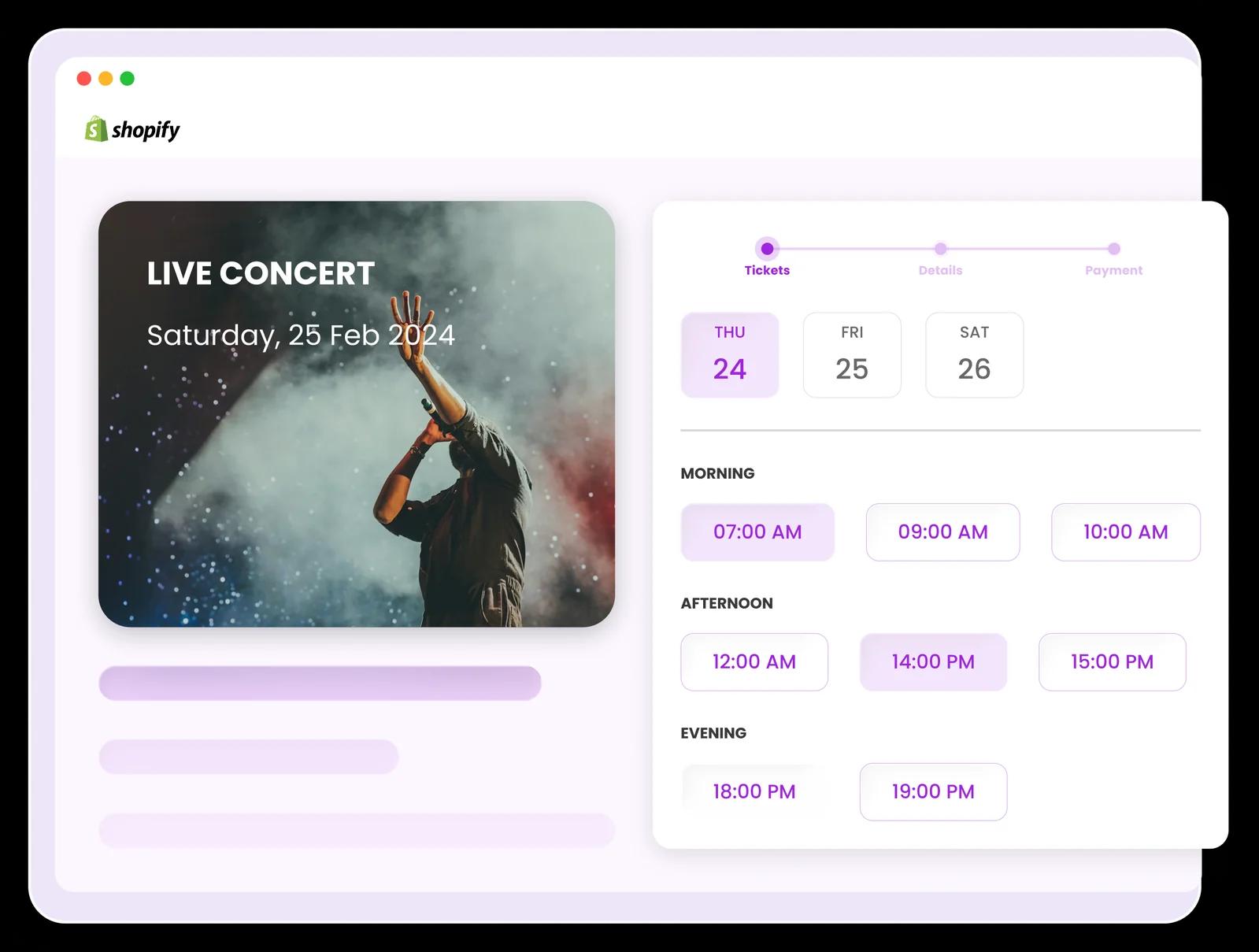
What Ticket Spot does on Shopify
Ticket Spot turns an event into a Shopify product. You set the event up once — dates, ticket types, prices, capacity — and the app creates the product and a variant for every combination of date, time slot and ticket type that needs one. From there it is a Shopify product like any other: Shopify owns the cart, the checkout, payments, discounts, taxes, customers and orders, and a ticket sale appears in your admin and your reporting alongside everything else you sell.
What Ticket Spot adds is the part Shopify has no concept of — ticket types and per-slot capacity, QR tickets and wallet passes, attendee registration, and door check-in. How buyers choose their tickets on the storefront is a separate decision, and you have two options.
A Shopify ticketing app for your event type
For a seated production, start with our community theater ticketing workflow. For a music event, see festival and concert ticketing. Museums and tour operators can use the attraction booking guide to plan admission windows before creating Shopify products.
Before launching, test a paid order, the ticket email and QR admission. For reserved seats, also check the seat on the resulting ticket; for timed entry, verify the selected date and time. A successful store checkout is the first step in the attendee journey.
Compare Shopify ticketing costs
Ticket Spot subscriptions include monthly attendee capacity. Evey combines a monthly plan with a charge per ticket processed. Ticket Spot costs can also grow when you need extra attendee or reserved-seat capacity. Here is a general-admission example — 400 tickets in one billing period — priced on both models, using each vendor's published rates.
| Plan and rates | Total app cost |
|---|---|
| Ticket Spot Professional$29.99 per month + $0.00 per ticket | $29.99 |
| Evey Events & Tickets Lite$0 per month + $1.00 per ticket | $400.00 |
| Evey Events & Tickets Growth$19 per month + $0.75 per ticket | $319.00 |
| Evey Events & Tickets Standard$49 per month + $0.50 per ticket | $249.00 |
| Evey Events & Tickets Professional$189 per month + $0.25 per ticket | $289.00 |
Evey figures verified 5 October 2026 from the Evey Events & Tickets listing on the Shopify App Store. Prices change; check both listings before you decide.
What this comparison assumes
- 400 tickets sold within a single 30-day billing period, one attendee per ticket.
- Ticket Spot Professional is $29.99 per month and includes 500 attendees. This general-admission example stays within that allowance. Reserved seating needs Business or above and has a separate seat allowance.
- Evey's plan fee is charged every 30 days whether or not you run an event that period, and its per-ticket fee is charged on tickets processed.
- Payment processing fees are excluded on both sides. You pay those to your processor either way.
- Your Shopify subscription and Shopify's own transaction fees are excluded on both sides.
- The plans are not feature-matched. Evey lists reserved seating, Klaviyo and Mailchimp on Professional. Ticket Spot seating starts on Business with a monthly seat allowance; higher usage may require ticket packs, Reserved Seating Packs or a plan upgrade.
Work out your own numbers on the pricing page, or read the wider comparison of Shopify ticketing apps.
How a ticket sale actually works
Your event in Ticket Spot
Dates, ticket types, prices and capacity, set up once.
Becomes a Shopify product
One variant per combination of date, time slot and ticket type. You do not build it by hand.
- choose oneor
Shopify's product page
The native variant selector. No theme changes.
The Ticket Selector
An optional theme block, for seating, long lists of slots and add-ons.
Your Shopify cart
Both paths build an ordinary Shopify cart.
Your Shopify checkout
Shopify owns payment, discounts, taxes and the order record, as on any other product.
PDF ticket and wallet pass
Branded, with a scannable QR code, on the thank-you page and by email.
QR check-in at the door
Scanned with a phone camera or a barcode scanner against your guest list.
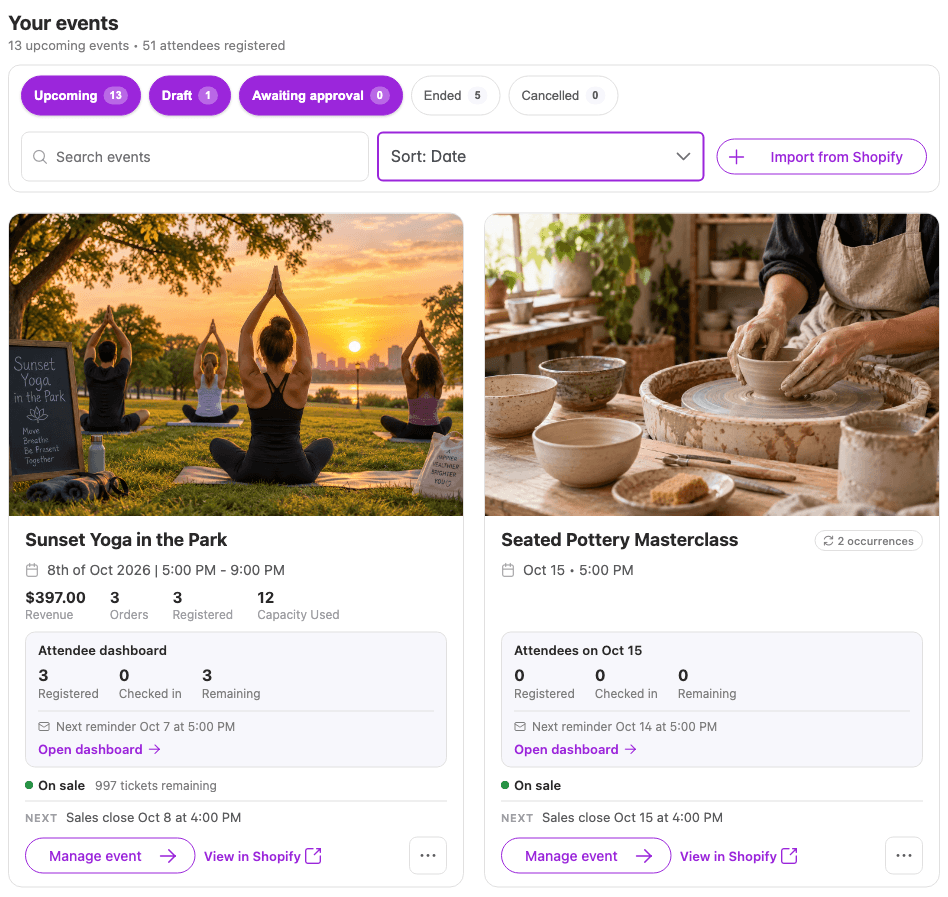
How it installs
Install the app from the Shopify App Store
Ticket Spot installs like any other Shopify app and bills through your Shopify invoice. There is a free plan, so you can set an event up before you commit to anything.
Create your event and publish the product
Add your dates, ticket types, prices and capacity. Ticket Spot creates the matching Shopify product and generates a variant for every combination of date, time slot and ticket type. You do not build the product by hand. At this point you can already sell — the product works on your normal product page with Shopify's own variant picker.
Optionally add the Ticket Selector to your product template Optional
If your event needs more than a dropdown can express — reserved seats, a long list of time slots, add-ons or per-attendee questions — add the Ticket Selector block in the Shopify theme editor. Skip this step and the standard product page keeps working exactly as it did.
Choose your storefront experience
Both paths sell through your own Shopify cart and checkout. The difference is only how the buyer picks what they are buying, and you can move between them at any time without rebuilding the product.
Shopify's product page
Your event is published as an ordinary Shopify product. Buyers choose from Shopify's own variant selector, add to cart and check out. Nothing about your theme changes.
- Shopify's native variant selector and Add to cart button
- Ticket types, dates and time slots appear as normal product options
- Availability handled by Shopify's own inventory, so sold-out variants behave the way your theme already handles them
- Registration questions and liability waivers can still be collected, using the Additional Questions block
Best for straightforward events — a few dates, one or two ticket types, no seating and no per-attendee data.
The Ticket Selector
An optional theme block that takes the place of the variant selector for events with more moving parts. It builds a normal Shopify cart from the buyer's choices and hands off to the same checkout.
- Reserved seating charts, with the buyer choosing actual seats
- Long lists of dates and time slots, with sold-out slots filtered out
- Quantity rules per ticket type, and group tickets that admit several people on one purchase
- Ticket add-ons bought alongside the ticket
- Registration questions and liability waivers collected per attendee rather than per order
- Capacity-aware selection, so a slot stops offering tickets as it fills
Best for seated venues, timed entry, multi-day events, and anything that needs add-ons or details from each attendee.
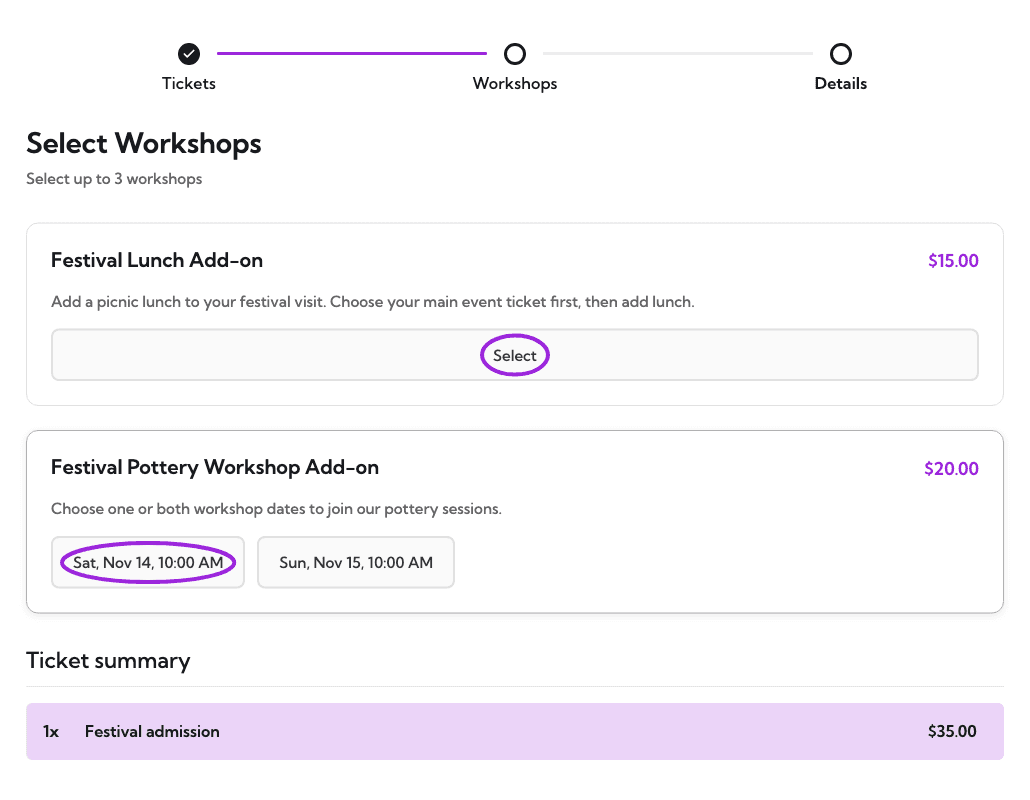
Ticket selection and event setup
What you can sell and how buyers choose it. Ticket types, pricing and capacity shape the Shopify product itself, so they apply on either storefront path; seating is the one exception and is noted below.
Ticket types, tiered pricing and access codes
- Multiple ticket types per event – general admission, VIP, concession and so on, each becoming a Shopify variant with its own price and its own capacity.
- Volume pricing – the per-ticket price drops automatically once the buyer passes a quantity you set, which is how group bookings get a discount without a promo code.
- Group tickets – one purchase that admits a fixed number of people, such as a family or a table of eight.
- Hidden and access-code tickets – keep a ticket type off the public product page and release it only to people holding the code. Useful for members, press and comps. You control per ticket type whether it appears as a Shopify variant at all.
- Scheduled sales windows – set when a ticket type starts and stops selling, relative to the event, so early pricing closes on its own.
- Registration questions and waivers – collect details, dietary requirements or a signed liability waiver during purchase. Available on both storefront paths.
Volume pricing and access-code tickets are on higher plans — see plan availability.
Timed entry and multi-day events
If you admit people in arrival windows rather than all at once, set the windows and a capacity for each. Ticket Spot expands every occurrence and time slot into its own Shopify variant, so a 10:30 slot sells out and closes while 11:00 keeps selling, and Shopify tracks the inventory. Multi-day and recurring events work the same way. Timed-entry ticketing for Shopify covers the fan-out, capacity and what the buyer sees; for the general case see parks, tours and timed entry.
Seating charts
For reserved seating, build the seat map in the seating chart builder — rows, tables, zones, VIP sections and general admission areas, each with its own price category. Buyers then pick their actual seats on your Shopify product page, and those seats are carried into the Shopify cart with the rest of the order and printed on the ticket.
Seat maps are the one capability that needs the Ticket Selector — Shopify's variant selector has no way to express a seat. The full walkthrough is in seating charts on your Shopify product page. Seating starts on Business; see plan availability.
After purchase and event operations
What happens once the Shopify order is paid: getting tickets to attendees, getting them through the door, and keeping the systems you already run up to date.
Ticket delivery and wallet passes
- Branded PDF ticket – your logo, your event details and a scannable QR code, generated per order and available from the Shopify thank-you page as well as by email. A PDF receipt is produced alongside it.
- Apple Wallet pass – offered on the thank-you page so the attendee can add the ticket to their phone before they close the tab.
- Google Wallet pass – delivered through the confirmation email and the attendee portal rather than the thank-you page.
- Calendar – the thank-you page offers a Google Calendar link, and the confirmation email carries a calendar attachment that Apple Calendar and Outlook accept.
- Thank-You Page block – puts all of that on Shopify's own order-status page straight after payment, so attendees who never open the confirmation email still have their tickets. Plan availability.
What each of those looks like, and what happens to a code after a refund, is covered in QR code tickets for Shopify orders. More on how tickets are designed in create and customise tickets.
Check-in and scanning
- Phone camera scanning – the free Ticket Spot check-in app reads the QR code on the PDF or the wallet pass and shows the attendee's details and their answers to your registration questions.
- Hardware barcode scanners – USB and Bluetooth scanners that send keystrokes are supported in both the check-in app and the web dashboard, which is faster than a camera at a busy gate.
- One live guest list – every device checks the same list as it scans, so a refunded ticket is rejected at once and two gates can never disagree. That does mean each scanning device needs a working connection at the door.
- Duplicate detection – a ticket that has already been scanned is flagged, and check-in history is kept per attendee.
Email, automation and order sync
- Shopify orders and attendees – a paid Shopify order becomes attendees in Ticket Spot automatically, with refunds and edits followed through, so the guest list and your Shopify admin describe the same thing.
- Klaviyo – a Shopify ticket order sends events to Klaviyo as it happens, including the order itself and each registered attendee, so you can build flows and segments on who is coming to which event rather than on what they bought.
- Zapier – new ticket orders and new attendees fire as triggers, which is the route to anything without a direct integration.
- Mailchimp – connect an account to send Ticket Spot's attendee emails through your own Mailchimp templates and verified sending domains.
- Built-in attendee email – confirmations, scheduled reminders before the event and follow-ups afterwards, without wiring anything up. See attendee communication.
"Ticket Spot App helped us hosting our event. No problem hosting 11,000+ attendees. Worked like a charm honestly. Also, support is always there to help. Would recommend."— Collectors Garden
Good to know
The things worth knowing before you install, rather than after.
Ticket Spot does not replace your Shopify checkout
Whichever storefront path you choose, the buyer ends up in your own Shopify cart and checkout. Payments, discounts, taxes, customers and order records all stay in Shopify. If you were hoping to move checkout somewhere else, this is the wrong tool.
The Ticket Selector is optional, and off by default
A published event sells through Shopify's standard product page and variant selector with no theme changes at all. The Selector is there for events a dropdown cannot express — reserved seats, long lists of time slots, add-ons, per-attendee questions. Adding it later, or removing it, does not change the product or its variants.
Seating is a Ticket Selector feature, and seats are confirmed at payment
Reserved seating needs the Selector; it is not available through the standard variant picker. Seats are assigned when payment completes rather than held for the life of the cart, because a Shopify cart can sit open far longer than a seat hold. On a fast-selling seated event, two buyers can choose the same seat before either pays.
Wallet passes and calendar files arrive by different routes
The thank-you page offers the Apple Wallet pass and a Google Calendar link. The Google Wallet pass and the .ics file that Apple Calendar and Outlook understand come through the confirmation email and the attendee portal instead.
Walk-up selling through Square POS is set up separately
Ticket Spot supports selling at the door through Square POS, but that is a platform feature configured outside the Shopify app. It is not part of the Shopify integration and those sales do not become Shopify orders.
The free plan is capped at 20 attendees a month
Enough to run a real event end to end and see how it behaves before you pay for anything, but it is a hard cap rather than a trial that expires.
Plan availability
Most of what is described above works on any paid plan. These capabilities need a higher one:
Professional and above
- Thank-You Page app block
- Timed entry tickets and passes
- PDF tickets with QR codes, and Apple and Google Wallet passes
Business and above
- Hidden and access-code tickets
- Volume (tiered) pricing
- Reserved seating charts — seat rows, tables, sections, general admission areas and price categories
Business+
- Uploading your own venue floor plan behind the seat map
- Selling a table as a whole, and booth layouts
- Multi-floor and multi-zone venues
Full feature comparison on the pricing page.
Frequently asked questions
No. You can sell through Shopify's standard product page and variant selector, which is how a published event works by default with no theme changes. The Ticket Selector is an optional enhancement for more complex events — reserved seating, long lists of time slots, add-ons, or questions asked of each attendee. You can add it or remove it at any time without rebuilding the product.
Through Shopify, on both storefront paths. Whether the buyer uses Shopify's own variant selector or the Ticket Selector, their choices become a normal Shopify cart and they finish in your usual checkout. Payments, discounts, taxes and order records stay in Shopify, and a ticket sale looks like any other order in your admin.
No. You create the event in Ticket Spot and it creates the Shopify product for you, generating a variant for every combination of date, time slot and ticket type. Recurring and multi-day events would otherwise mean building dozens of variants by hand.
Yes. Set your arrival windows and the capacity for each one, and Ticket Spot expands them into Shopify variants so a slot stops selling once it is full. A handful of slots works well on the standard product page; if you have a long list of them, the Ticket Selector presents them more clearly and hides the ones that have sold out.
Yes, and this is one of the cases the Ticket Selector exists for — seat maps are not available through Shopify's standard variant picker. Build the seat map in Ticket Spot, and buyers choose their actual seats on your product page before checking out in Shopify as normal.
A branded PDF ticket with a scannable QR code, plus an Apple Wallet pass, both reachable from the Shopify thank-you page once the Thank-You Page block is enabled on Professional plans and above. The confirmation email carries the same PDF, a calendar attachment and a Google Wallet link.
Ticket Spot does not take a percentage of ticket sales or charge a fee per ticket. Paid subscriptions include a monthly attendee allowance; extra attendee capacity, reserved seats or higher-tier features can increase your cost. Your Shopify subscription and payment processor's fees still apply.
With the free Ticket Spot check-in app, which scans the QR code on the ticket using a phone camera or a USB or Bluetooth barcode scanner. A ticket that has already been scanned is flagged. Use a working internet connection for live ticket validation and an up-to-date guest list across devices. Test the app and your venue connection before opening the doors, including how refunded tickets and repeat scans are handled.
Related guides
Timed-entry ticketing for Shopify
How a schedule of slots becomes Shopify variants
QR code tickets for Shopify orders
What the buyer receives once the order is paid
Variants or the Ticket Selector?
Which product page to ship, and when the dropdown is enough
Klaviyo for Shopify events
Attendee data into flows and segments
Selling on more than one platform
Wix, WordPress, Lovable and a hosted marketplace
Square POS
Selling at the door, alongside Shopify