Festival & Concert Ticketing Software
Plan your ticket types, reserved sections and gate check-in around your actual event.
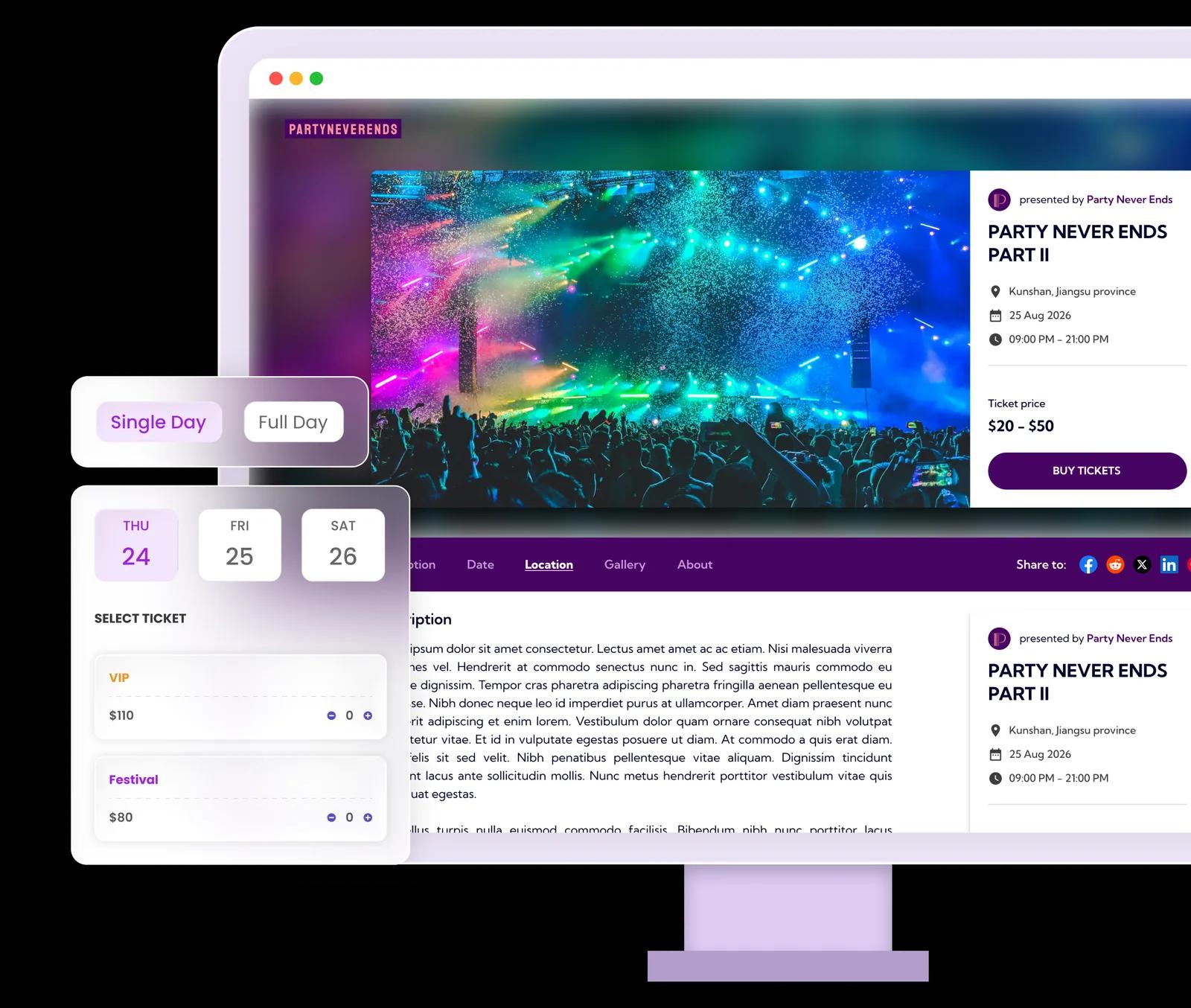
From the first booking to the door
A concert can have standing admission, seated sections and several ticket prices. A festival adds dates and different arrival patterns. Ticket Spot brings ticket sales and a live guest list together so your event team can prepare the booking and admission process before the audience arrives.
See a walkthrough for your event →Set up your ticket sales
Define dates and admission
Create your dates and ticket types, such as Friday admission, weekend entry and VIP. Write exactly what each ticket admits and configure check-in limits accordingly. A VIP label alone should not be treated as a separate gate permission.
Set capacity and seat prices
Decide which inventory is general admission and which is assigned seating. Set ticket capacity and, where needed, create the seating chart. Test purchase combinations before announcing a sale, especially where tickets cover more than one date.
Rehearse every entrance
Test the actual check-in devices and network at each gate. QR scanning reads the live attendee list and requires a connection. Brief staff on duplicate scans, wrong-date tickets and the process for a guest who cannot find a confirmation email.
Tools for the booking and arrival experience
Ticket types and pricing
Offer distinct GA and VIP tickets with clear inclusions. Use scheduled sales, group pricing or add-ons only where your chosen plan supports them.
Explore ticket types and pricing →Seated concerts
Create a seating map for an auditorium or reserved section. Budget for both attendee capacity and reserved-seat usage across all events in the billing period.
Explore seated concerts →Gate check-in
Scan QR tickets or look up attendees in the mobile app. Multiple entrances need reliable connectivity; we do not publish a guaranteed scan throughput for your venue.
Explore gate check-in →A setup example
For a Friday concert with standing tickets and a seated balcony, configure the ticket types and seating area, then buy one of each in a test. Confirm how the entry team identifies the ticket type. For a weekend festival, also test the intended re-entry and date rules before promoting a multi-day pass.
This illustrates a possible configuration, not a customer result. Test your own dates, ticket rules and entry process before opening sales.
Budget for your event
Paid tickets start on Professional at $29.99/month, including 500 attendees. Reserved seating starts on Business at $99/month, including 1500 attendees and 250 reserved seats. These are separate monthly allowances. Larger events may need ticket packs, Reserved Seating Packs or a higher plan. Payment processing, taxes and any Shopify subscription are additional.
Check current plans, feature availability and pack prices →Choose your sales channel
Use a hosted event page, embed tickets on your own website, or sell event tickets through Shopify. For Shopify, buyers use your store's cart and checkout; the optional Ticket Selector handles seats and detailed bookings. Test the complete journey on a phone, including delivery of the ticket and the first scan.
Comparing platforms? Read our Eventbrite comparison, Ticket Tailor comparison and TicketSpice fee comparison.
Frequently asked questions
Yes. Create ticket types for the dates and admission options you offer. Configure and test the relevant check-in limits and date rules before selling multi-day passes.
Yes. Use an interactive seating chart for assigned seats and general-admission areas where appropriate. An eligible plan and enough reserved-seat capacity are required.
Test devices, staffing and connectivity at the venue. Scanning uses a live guest list and needs an internet connection. Throughput depends on the entrance setup and ticket issues staff need to resolve.
Yes. Ticket Spot has monthly plans with included attendee and seat allowances. Larger events may need additional capacity packs or a plan upgrade. Processing charges are separate.