Timed-entry ticketing for Shopify
Sell admission by arrival window, with a capacity on each one. Ticket Spot turns your schedule into Shopify products and variants, so a 10:30 slot can sell out while 11:00 keeps selling — and it is ordinary Shopify inventory the whole way through.
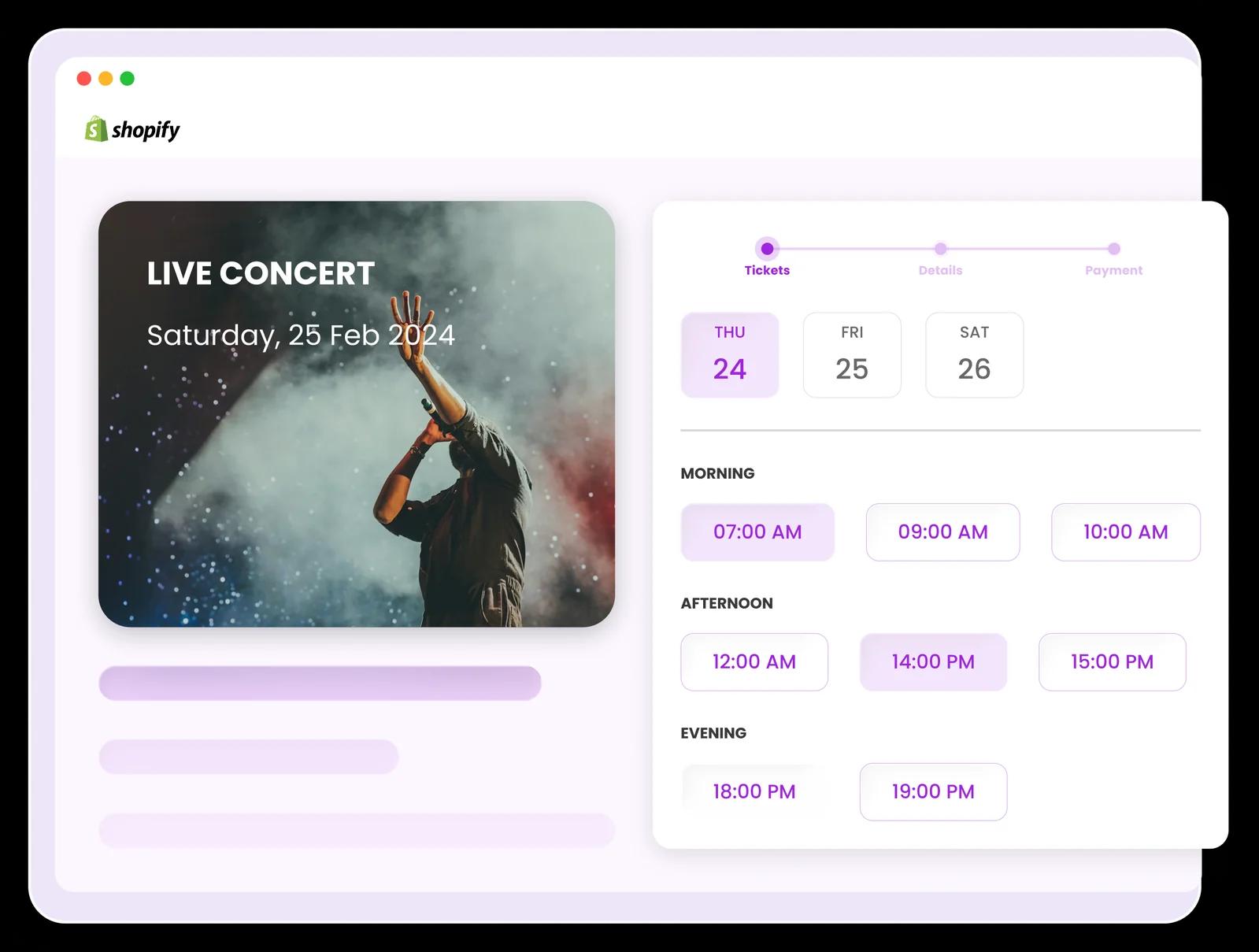
What timed entry means here
Timed entry means you sell admission for a window rather than for a day: a visitor buys the 10:30 arrival, not just Saturday, and each window has its own capacity. Everything below is about how that works when the storefront is Shopify — for timed entry as an operating model, and the venues that run on it, see parks, tours and timed entry.
How a schedule becomes Shopify variants
You describe the schedule once in Ticket Spot. It creates the Shopify product and generates a variant for every combination of date, time slot and ticket type that needs one. You do not build the product by hand, and you do not maintain the variant list — which matters, because the list gets long fast.
Take a small example: Autumn glasshouse tour, running on 3 dates, with 4 arrival windows a day and 2 ticket types.
- Dates – Fri 3 Oct, Sat 4 Oct, Sun 5 Oct
- Arrival windows – 10:00, 10:30, 11:00, 11:30
- Ticket types – Adult at $18.00, Child at $9.00
That is 3 × 4 × 2 = 24 Shopify variants, generated for you. Here are the 8 that belong to Fri 3 Oct; the other 2 dates repeat the same pattern.
| Shopify variant | Options | Price |
|---|---|---|
| Autumn glasshouse tour — Fri 3 Oct, 10:00, Adult | Fri 3 Oct / 10:00 / Adult | $18.00 |
| Autumn glasshouse tour — Fri 3 Oct, 10:00, Child | Fri 3 Oct / 10:00 / Child | $9.00 |
| Autumn glasshouse tour — Fri 3 Oct, 10:30, Adult | Fri 3 Oct / 10:30 / Adult | $18.00 |
| Autumn glasshouse tour — Fri 3 Oct, 10:30, Child | Fri 3 Oct / 10:30 / Child | $9.00 |
| Autumn glasshouse tour — Fri 3 Oct, 11:00, Adult | Fri 3 Oct / 11:00 / Adult | $18.00 |
| Autumn glasshouse tour — Fri 3 Oct, 11:00, Child | Fri 3 Oct / 11:00 / Child | $9.00 |
| Autumn glasshouse tour — Fri 3 Oct, 11:30, Adult | Fri 3 Oct / 11:30 / Adult | $18.00 |
| Autumn glasshouse tour — Fri 3 Oct, 11:30, Child | Fri 3 Oct / 11:30 / Child | $9.00 |
A worked example, not a screenshot. 8 of 24 rows shown.
What Shopify then does with them
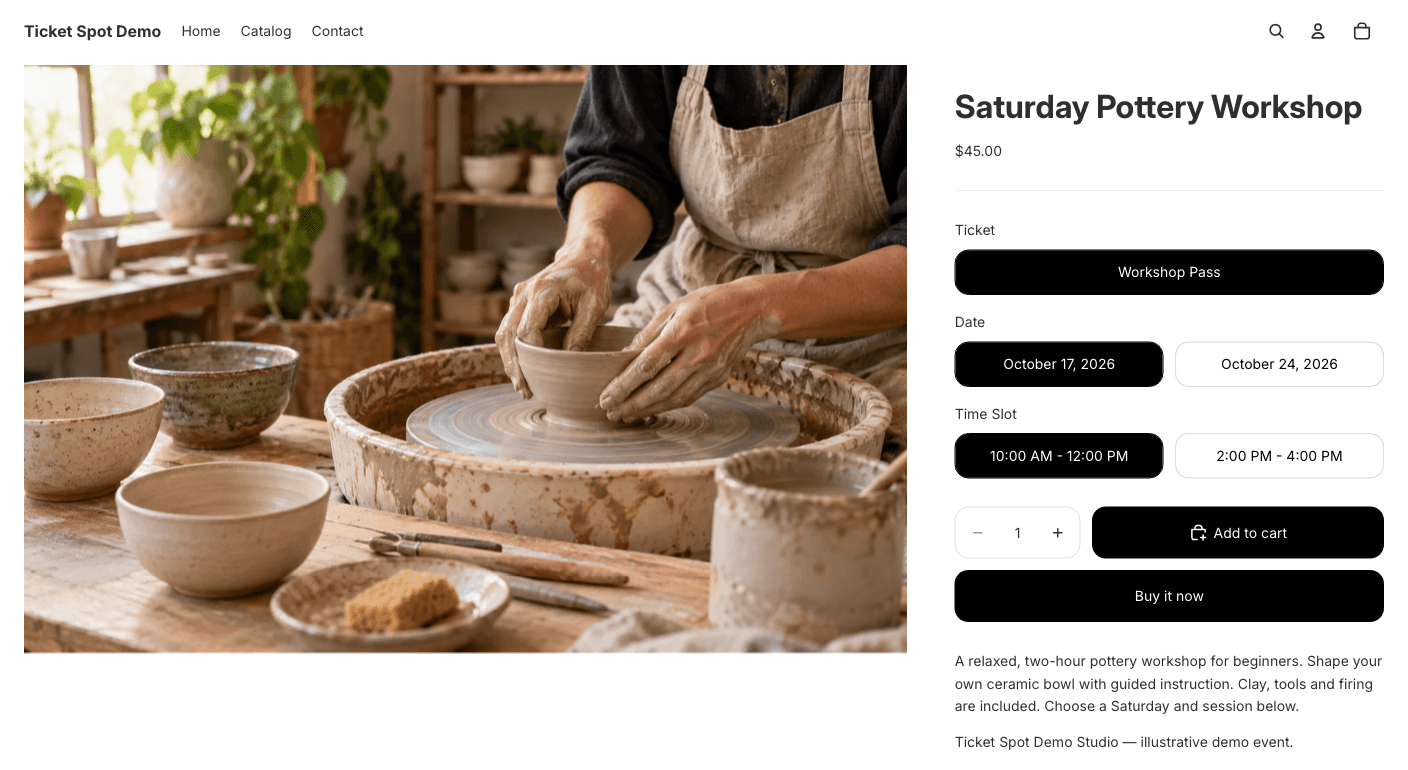
Nothing unusual, and that is the useful part. Each variant carries its own inventory, so each arrival window sells down separately. When the 10:30 Adult variant reaches zero, Shopify stops selling it and 11:00 carries on untouched. You can see the whole schedule on the product's variants tab in your Shopify admin, adjust a count there, and it behaves like any other product in the store.
It also means the rest of Shopify works on it without any special handling: discount codes, gift cards, draft orders, reports, abandoned-checkout emails and your existing analytics all treat a 10:30 admission as a line item like any other. A timed-entry sale appears in the same place as everything else you sell, because it is the same place.
Capacity, and what it is set on
Capacity lives in two places, and they do different jobs. Each arrival window has a capacity, which is the number you care about operationally — how many people can be in the room, on the tour, or through the gate in that half hour. Each ticket type also has its own, which is how you cap concessions or hold back a block of VIP without capping the window.
Both end up expressed as Shopify inventory on the generated variants, which is why a sell-out needs no special handling: the variant runs out, and Shopify does what Shopify does. It is also why the numbers are legible — you are never guessing what the app thinks is left, because the count is sitting in your admin.
What you cannot do is set one pooled number for the day and let every window draw it down. Capacity belongs to the slot. If your real constraint is the building — four hundred people inside at any one time, however they got there — you express it by setting slot capacities that add up to it, and unsold places in the 10:30 window do not roll forward into the 11:00 one. See what this does not do.
What the buyer sees
With a handful of windows, Shopify's own variant selector is genuinely fine. The buyer picks a date, a time and a ticket type from the product page you already have, adds to cart, and checks out — no theme changes, no app block, nothing to configure. Sold-out combinations behave exactly as sold-out variants behave in your store today.
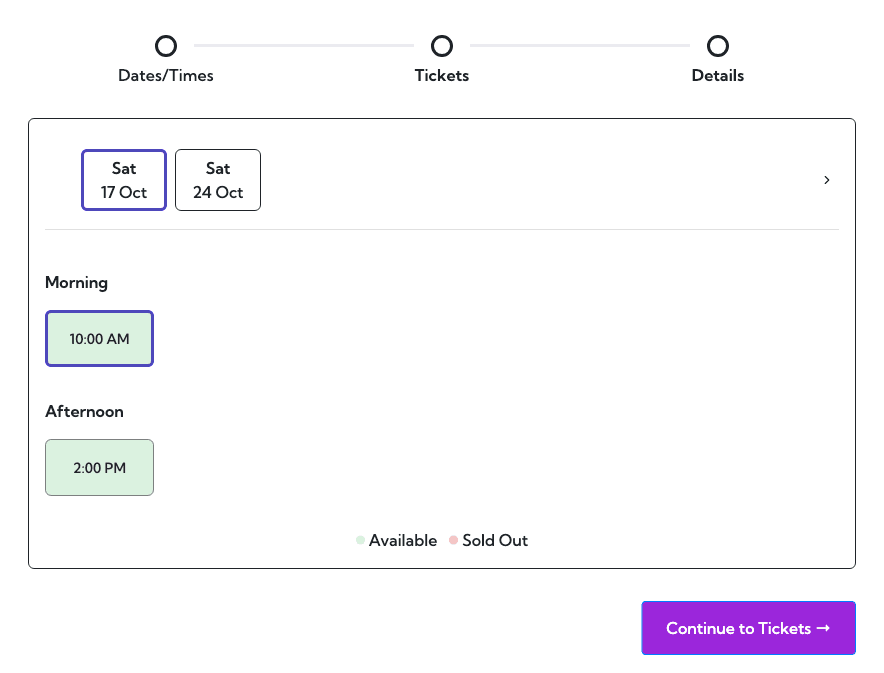
With a long list, dropdowns stop being readable. That is what the optional Ticket Selector block is for: it presents the schedule as a calendar, shows the windows for the chosen date, and filters out the ones that have gone rather than offering them and refusing.
There is no threshold in the app that switches between the two. Nothing flips at twelve slots or at forty. It is a judgement about your own product page, and it is reversible — adding the Ticket Selector in the theme editor, or removing it, does not change the product or its variants. Both paths build an ordinary Shopify cart and finish in your own checkout.
Recurring, multi-day and multi-session
These are the same mechanism wearing different clothes. A tour that departs every 30 minutes is a schedule whose windows happen to be evenly spaced; each departure is its own variant with its own capacity, so one selling out says nothing about the next.
A festival weekend is a schedule across dates rather than across hours — Friday, Saturday and Sunday each sell and sell out separately, and a weekend ticket is simply another ticket type alongside them. A course running over four evenings is the same shape again, with the difference that you are usually selling the set rather than the individual nights.
The practical limit is not the shape of the schedule but its length. Every occurrence is a variant, and Shopify allows a product 2,048 of them — enough for around four months of eight daily slots on two ticket types, or about seven weeks of half-hourly ones. Ticket Spot warns you at setup rather than letting you build past it. See what this does not do before committing to a very long schedule.
Changing, cancelling and refunding a slot
A timed-entry order is an ordinary Shopify order, so you refund it the way you refund anything else, from the Shopify admin you already use. Ticket Spot follows that through: the attendee comes off the guest list, and the ticket stops being valid at the door. Edits to the order are followed through the same way, so the guest list and your Shopify admin keep describing the same thing.
What is not automatic is the human part. Nobody is rebooked into another window for you, and cancelling a 10:30 departure does not tell the people holding 10:30 tickets that it is cancelled. That is a refund you issue and a message you send. Worth knowing before a wet Saturday rather than during one.
What the attendee is holding in the first place — the PDF, the wallet pass and the code that gets scanned — is covered in QR code tickets for Shopify orders.
Who runs timed entry on Shopify
The schedule is shaped by whatever the real bottleneck is, and it is different in each of these.
Museums and galleries
The constraint is how many people can stand in a room at once, and it is usually written into a fire certificate rather than chosen. Timed entry turns that into a number per window, which also flattens the queue at opening time — the same day's visitors, spread across the day instead of arriving in the first hour.
Guided tours
The constraint is the guide. One guide takes one party, the party has a maximum size, and the next departure cannot start until the route clears. A schedule of departures every 30 or 45 minutes with a fixed capacity each is the whole product, and overselling a single departure is worse than selling nothing.
Farms and pick-your-own
The constraint is usually the car park, not the field, and the season is short enough that a bad weekend cannot be made up. Weekend demand collapses into about three hours; arrival windows move part of it into the morning and stop the entrance road becoming the bottleneck.
Attractions with a session length
Climbing walls, trampoline parks, soft play and axe-throwing sell a fixed block of time with a hard changeover. The schedule is the operating model: a 60-minute session, a gap to clear and reset, then the next. Capacity is per session, and a session that runs late costs you the one after it.
Escape rooms
The constraint is the room itself. One group at a time, a fixed maximum, and a reset gap that cannot be skipped. Every booking is a private slot rather than a share of a capacity, so the schedule needs to close a window completely the moment it is taken.
What this does not do
The boundaries — Shopify's, and ours. Two of these are limits the platform imposes on every app, not choices we made.
Timed entry is not on the free plan
Timed-entry tickets and passes start on Professional, at $29.99 a month. The free plan sells free tickets to 20 attendees a month and does not include them. Time-slot event layouts start on the same plan.
Capacity is per slot, never pooled across the day
You give each arrival window a capacity, and each ticket type its own. There is no single daily number that every slot draws down from. If your real constraint is the building rather than the window — 400 people inside at any one time, however they arrived — you get to that by setting slot capacities that add up to it, not by entering it once. Slots do not borrow unsold capacity from each other.
A schedule cannot exceed 2,048 variants
Shopify allows a product up to 2,048 variants, and a schedule is dates × slots × ticket types. Two ticket types and eight slots a day reaches the ceiling at around 128 days; half-hourly slots across a ten-hour day reach it in about seven weeks. Ticket Spot warns you at setup rather than letting you build a schedule Shopify will reject, but the ceiling is real and long-running schedules need splitting across products.
A slot schedule uses all three of Shopify's product options
Shopify allows a maximum of three options per product, and timed entry spends all three: date, time and ticket type. There is no fourth left for a zone, a language, an add-on or anything else you might want to vary on the same product. If you need another dimension, it has to be a separate product or a separate ticket type.
A slot is not a seat
Timed entry controls how many people arrive in a window. It does not assign anyone a specific place. If you need the buyer to choose an actual seat, that is a seat map, it needs the Ticket Selector, and it starts on Business.
Nobody is moved between slots for you
If a visitor asks to come at 11:00 instead of 10:30, that is a change to a Shopify order — Ticket Spot follows the refund or the edit through to the guest list, but it will not rebook anyone, and it will not tell the people in a cancelled window that it is cancelled. That announcement is one you send.
Sold-out behaviour on the standard product page is your theme's
Shopify marks the variant unavailable and your theme decides what that looks like — greyed out, hidden, or an unavailable button. That is the same code path as any other sold-out variant in your store, which is the point, but it means the behaviour is yours to change and not ours.
Ticket prices are single-currency and do not follow Shopify Markets
Prices are set in Ticket Spot and synced to Shopify in one currency. Shopify Markets' currency conversion and market-specific pricing do not apply to them, so a buyer in another market sees the currency you set rather than their own. If you sell internationally through Markets and expect tickets to convert alongside the rest of your catalogue, they will not.
Reserved seating is a different capability with a different gate — seating charts on your Shopify product page covers it. Full plan-by-plan detail is on the pricing page.
Frequently asked questions
No. You set the event up once in Ticket Spot — dates, arrival windows, ticket types, prices and capacity — and it creates the Shopify product and generates a variant for every combination that needs one. Three dates with four slots and two ticket types is 24 variants, and building those by hand is where the mistakes come from.
Yes. You set a capacity per arrival window, and each ticket type also has its own. Ticket Spot expands the schedule into Shopify variants, so a slot's remaining tickets are ordinary Shopify inventory that you can see in your admin alongside every other product you sell.
That variant's inventory reaches zero and Shopify stops selling it, while every other slot keeps selling. A 10:30 window can be gone while 11:00 is still open. On the standard product page your theme decides what an unavailable variant looks like; through the Ticket Selector, sold-out slots are filtered out of the list.
No. A published event sells through Shopify's own variant selector with no theme changes, and for a handful of slots that reads perfectly well. The Ticket Selector is worth adding once the list gets long enough that a dropdown stops being readable — it shows the schedule as a calendar and hides the windows that have gone. You can add or remove it later without rebuilding the product.
Yes. A repeating schedule is expanded the same way a set of individual dates is: every occurrence becomes its own variant with its own capacity, so each departure sells and sells out independently. Multi-day and multi-session events work the same way — a festival weekend, or a course running over four evenings.
Professional, at $29.99 a month, which includes timed-entry tickets and passes, time-slot event layouts and roughly 500 attendees a month. There is no fee per ticket on any plan. Reserved seating is separate and starts on Business.