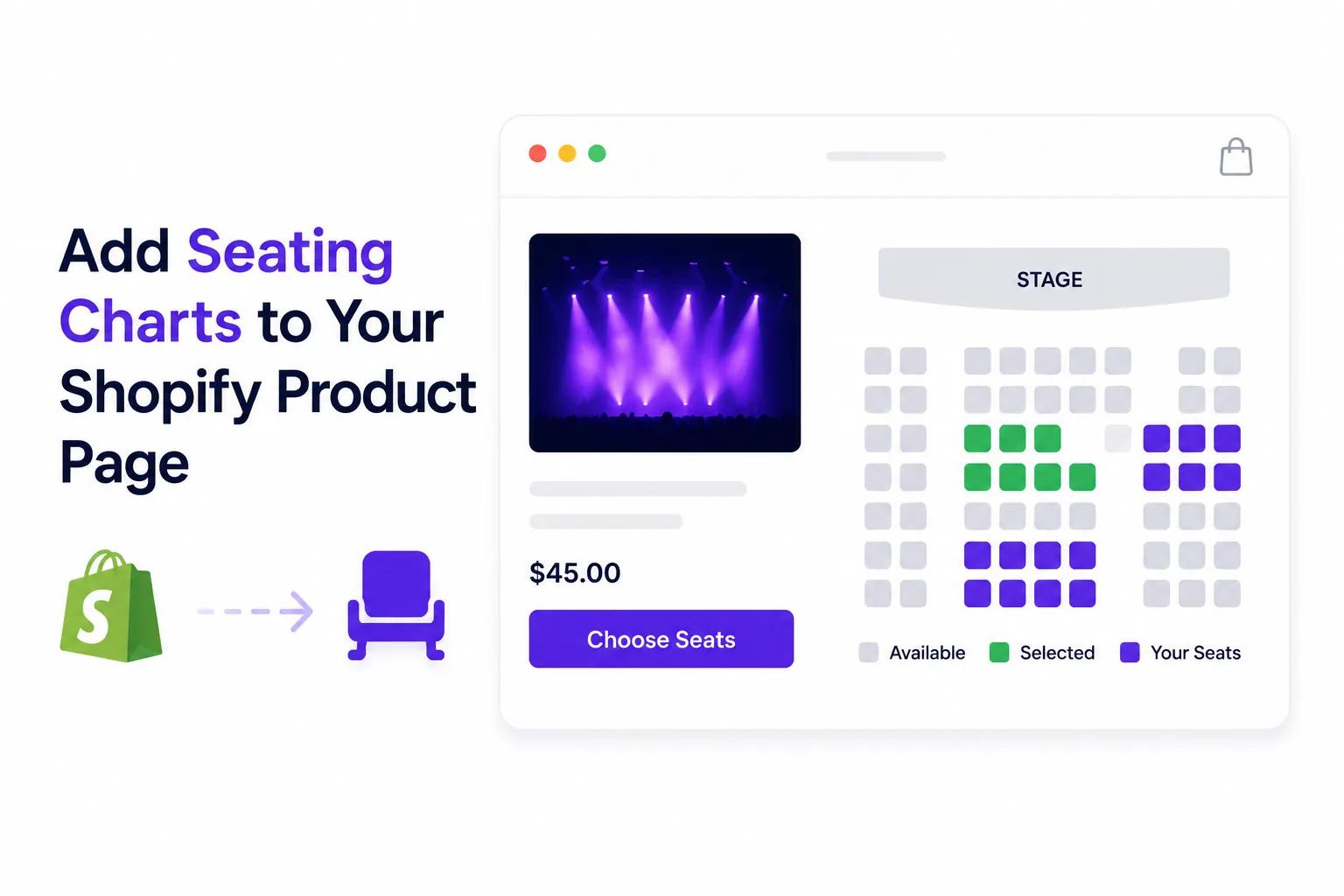
Shopify merchants can offer interactive seating charts directly on their product pages — letting customers select an exact seat, see real-time availability, and check out without leaving the store.
Ticket Spot's seating chart integration brings reserved seating to any Shopify merchant selling event tickets, show admissions or venue experiences. This guide covers how it works, what the buyer sees, and which plan each part of it needs.
What a seat map does that a variant cannot
Shopify sells most things perfectly well as products and variants, and most ticket types need nothing more than that — general admission, early bird, a VIP tier, a weekend pass. A variant is a good way to express a kind of ticket.
A seat is not a kind of ticket. It is one specific thing that exactly one person can buy, and there are five hundred of them. Expressed as variants that becomes five hundred variants with no picture of the room, chosen from a dropdown, with nothing on screen to say that D12 is behind a pillar and D14 is not. The limitation is specific rather than a verdict on variants: Shopify's variant selector has no way to represent where a seat is.
The other common answer is to send buyers to an external ticketing site for the seated events and keep Shopify for everything else. That works, and the cost is a second checkout — a separate cart, a separate confirmation email, separate customer records, and no way to put a seat and a tour t-shirt in the same order.
Ticket Spot's Ticket Selector app block takes the third route. It replaces the default variant selector on the product page with an interactive seat map, and leaves the rest of Shopify exactly where it was: the cart is Shopify's cart, the checkout is Shopify's checkout, and the order lands in your Shopify admin like any other.
How it works
Step 1: Build your seating chart
In the Ticket Spot dashboard, use the drag-and-drop builder to create your venue layout:
- Place rows, tables and sections
- Name rows and number seats
- Create seat categories — VIP, premium, standard, and so on
- Set a price per category
- Mark general admission areas for standing or unreserved space
- On Business+, upload your actual floor plan as a background for the map
The builder itself is the same one used for events that have nothing to do with Shopify, and it is documented in full on seating charts.
Step 2: Connect it to a Shopify product
Link the finished chart to the Shopify product that represents your event:
- Select the product
- Add the Ticket Selector app block to the product page and remove the default variant selector
- Prices from your seat categories sync to Shopify
Step 3: Customers select seats on your product page
A customer arriving on the product page sees:
- An interactive seat map in place of a dropdown
- Colour-coded seats showing what is still available
- A price per seat, taken from its category
- Zoom and pan for large venues
- Touch-friendly selection on mobile
They click the seats they want, and those seats go into the Shopify cart.
Step 4: Checkout through Shopify
The customer checks out using Shopify's own checkout:
- Shopify handles payment
- Discount codes and gift cards work as they normally do
- Merch or other products can go in the same cart
- The order appears in your Shopify admin as a standard order
Step 5: Automatic ticket delivery
Once the order is paid, Ticket Spot:
- Sends PDF tickets carrying the seat assignment and a scannable QR code
- Offers an Apple Wallet pass on the Shopify thank-you page
- Delivers a Google Wallet pass through the confirmation email and the attendee portal
- Sends automated reminders before the event
- Updates seat availability on the product page
The Shopify thank-you page carries a "Download Tickets" block, so the buyer has the ticket in front of them at the one moment you know they are paying attention. What is on those tickets and how they are scanned is covered in QR code tickets for Shopify orders.
What the customer experience looks like
On desktop
- The customer lands on your Shopify product page
- Below the product title, the full interactive seat map is visible
- Hovering a seat shows its row, number and price
- Clicking selects one or more seats
- Selected seats highlight, with a summary showing the running total
- "Add to cart", then straight into Shopify checkout
On mobile
- The customer sees a condensed map with pinch-to-zoom
- Tapping selects a seat
- A sticky bottom bar shows the selected seats and the total
- Shopify's standard mobile checkout follows
The whole thing runs on your storefront, in your theme, on your domain.
Where the seat map sits, and where Shopify still runs everything
It is worth being precise about the division of labour, because it is the thing that makes seating on Shopify different from seating on a ticketing site.
Ticket Spot owns the product page component. The seat map, which seats are free, what each one costs, and holding a seat while it is in someone's cart.
Shopify owns everything from the cart onwards. The cart, discount codes, gift cards, taxes, payment, the confirmation email, the order record, and every app you already have hanging off the order. Nothing about a seated order is special to Shopify — it is a normal order that happens to contain seats.
Ticket Spot picks the order back up after payment, turning it into attendees, tickets and a guest list, and following refunds and edits through so the two sides describe the same event.
The practical consequence is that adding seating does not put your ticket revenue behind someone else's checkout. It also means the seat map is only needed on the products that have seats. A store can sell seated concerts through the Ticket Selector and general admission workshops as ordinary Shopify products at the same time, and both are the same integration.
Features that make this integration powerful
Real-time seat availability
Seats update across sessions as people buy:
- A seat added to a cart is held for 15 minutes
- If the purchase is not completed in that window, the seat is released again
- Two people cannot complete a purchase for the same seat
The 15-minute hold is fixed rather than configurable per event. That matters most at the start of a busy on-sale: if a few hundred people all reach checkout at once and a proportion of them abandon, those seats read as unavailable for up to fifteen minutes before they come back. Plan the announcement around it rather than being surprised by it.
Tiered pricing by seat category
Charge by where the seat is, not by ticket type alone:
- VIP front row: $200
- Premium centre: $125
- Standard: $75
- Back row: $45
The price shows on the map itself, so a buyer comparing two seats is comparing them on price and position at the same time. Seat categories and pricing are included on Business.
Seats and merch in one order
Because the cart is Shopify's, a customer can:
- Add event merch to the same cart as their seats
- Use one discount code across the whole order
- See a single total
- Get one confirmation email and one order record
This is the part that an external ticketing site cannot reproduce, for a structural reason rather than a feature-list one: it does not have your cart.
Reusable venue templates
For recurring events in the same room:
- Build the chart once
- Save it as a template
- Apply it to future events
- Adjust which seats are on sale per event
Reusable templates are included on Business.
Unified analytics
- Shopify: revenue, orders, customer records
- Ticket Spot: seat-level sales, check-ins, attendee management
- Together: which sections sell first, and what that says about how you have priced them
Who should use this
Theatre companies and performing arts
Sell show tickets with reserved seating alongside playbills, merchandise and season passes, all in one Shopify checkout.
Music venues and concert halls
Offer seated shows where fans pick their exact spot, and put artist merch in the same cart.
Wine bars and tasting rooms
Sell reserved table seating for tasting events alongside bottles and gift sets. Selling a table as a single unit rather than as its individual seats needs Business+.
Comedy clubs
Let patrons pay more for the front row or less for the back, and attach food and drink packages to the same order.
Wedding and event venues
If you sell event packages through Shopify already, table assignments and seating can go on the same product page.
Sports and esports
Reserved seating for local matches, tournaments and viewing parties, priced by section.
Schools and universities
Graduations, performances and lectures, where the thing families care about most is sitting together.
Setup guide
1. Install Ticket Spot from the Shopify App Store
Ticket Spot on the Shopify App Store
2. Create your seating chart
Use the drag-and-drop builder in Ticket Spot to lay out the venue.
3. Link it to a Shopify product
Connect the chart to the Shopify product representing your event.
4. Add the Ticket Selector app block
In the Shopify theme editor, add the Ticket Selector app block to the product page, then remove the default variant selector — the block replaces it with the seat map.
5. Enable the thank-you page app block
Add the "Download Tickets" block so buyers can get their tickets immediately after checkout.
6. Publish
The product page now carries a full interactive seating chart, and customers can pick seats and check out through Shopify.
Pricing
Ticket Spot plans include separate attendee and reserved-seat allowances. Business includes 250 reserved seats per month; Business+ includes 500. Selling more seats can require Reserved Seating Packs or a higher plan, even if you still have attendee capacity. Check both allowances across all your events in the billing period.
Business — $99/month covers reserved seating itself:
- Interactive seating charts with seat selection
- Seat rows, tables and sections
- Seat categories and pricing
- General admission seating areas
- Reusable seating chart templates
Business+ — $149/month adds the layout features that larger and more unusual venues need:
- Uploading your own venue floor plan behind the map
- Selling a table as a whole rather than seat by seat
- Booth seating layouts
- Multi-floor and multi-zone venues
Business includes 1,500 attendees per month; Business+ includes 2,500. Extra attendee capacity and reserved-seat capacity are purchased separately. Both include the Shopify integration, PDF tickets with QR codes, Apple and Google Wallet passes, automated reminders and the check-in app. Plans also differ by monthly attendee volume. Full detail, including where each feature starts, is on the pricing page.
You pay Shopify's standard payment processing fees on top, as you would for any other order in your store.
Start selling seated events on Shopify
Give customers the seat they actually want, without sending them out of your store to get it.
- Install: Ticket Spot on the Shopify App Store
- The wider integration: selling event tickets on Shopify
- The seat map builder: seating charts
- What the buyer gets afterwards: QR code tickets for Shopify orders
- Selling by arrival time instead of by seat: timed-entry ticketing for Shopify
Need help setting up seating charts? Email support@ticketspotapp.com.
For a complete production setup, see community theater ticketing or school event ticketing.
Frequently asked questions
Yes. Customers check out through Shopify's standard checkout, and the seats they picked appear as line items on an ordinary Shopify order in your admin.
Yes. Because the cart and the checkout are Shopify's, a seat and a t-shirt are two line items in the same order, covered by the same discount code and confirmed in the same email.
A seat is held for 15 minutes once it is in a cart. If the purchase is not completed in that time the seat goes back on sale, so an abandoned checkout does not take a seat off the map permanently. The 15 minutes is fixed and not configurable per event, which is worth knowing before a large on-sale: a rush of abandoned carts makes a block of seats look gone for a quarter of an hour before it returns.
Yes. Seat categories — VIP, premium, standard, and so on — each carry their own price, and the price shows on the map as the buyer hovers or taps a seat. Seat categories and pricing are included on Business.
Yes. Seat selection is built for touch, with pinch-to-zoom on the map and a sticky bar showing the seats currently selected and the running total.
Yes. Save a venue layout as a template and apply it to future events, then adjust which seats are on sale per event. Reusable templates are included on Business.