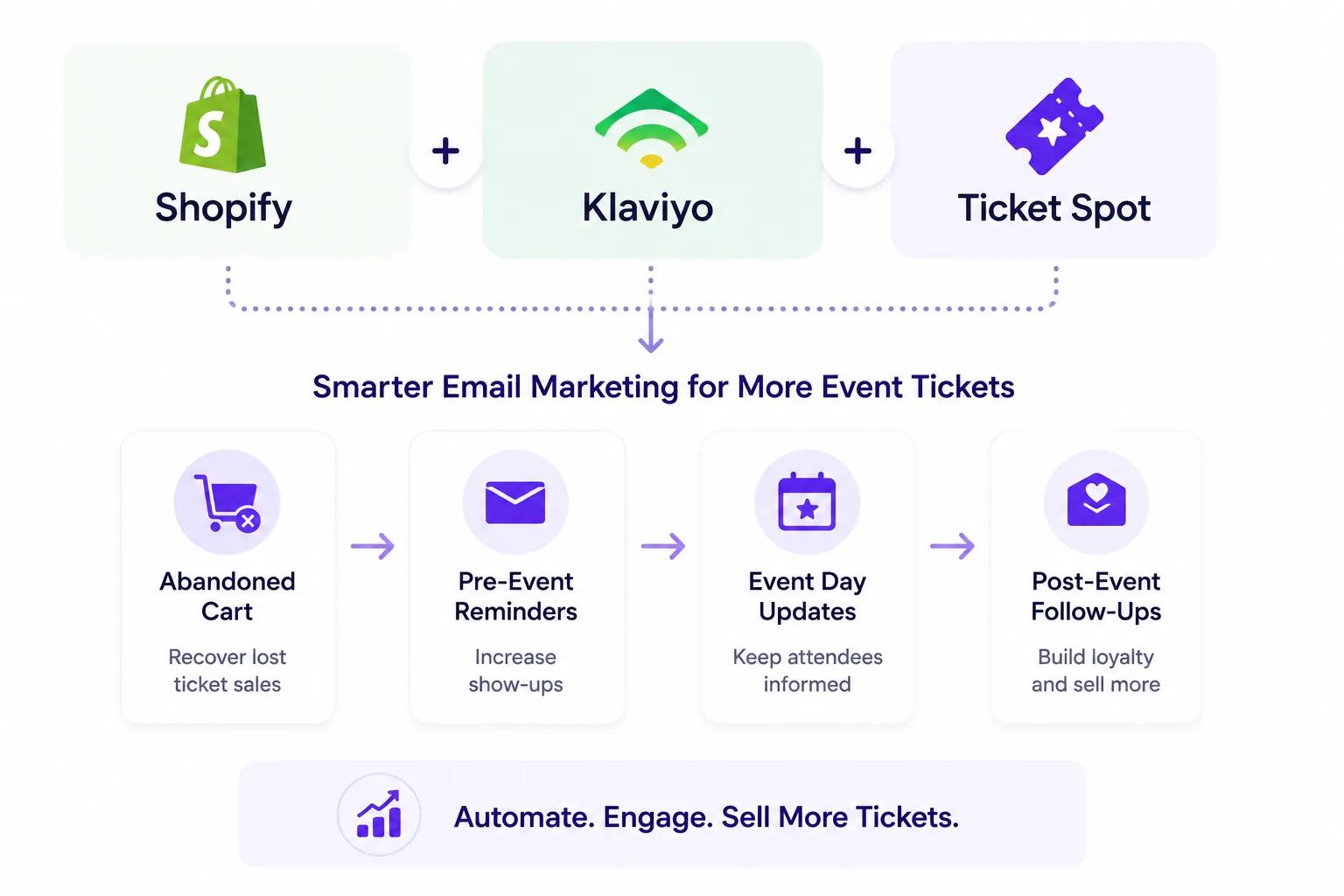
Shopify merchants selling event tickets are sitting on a goldmine of customer data-but most aren't using it.
By combining Shopify, Klaviyo, and Ticket Spot, you get automated flows that drive ticket sales, reduce no-shows, and turn one-time attendees into repeat customers.
This assumes you are already selling event tickets on Shopify. If you are not yet, start there — the integration hub covers installation, both storefront paths and the plan gates.
Why Shopify + Klaviyo + Ticket Spot Is a Game-Changer
Each platform handles what it does best:
What Shopify Handles
- Product catalog & checkout
- Customer accounts & order history
- Discount codes & upsells
- Store analytics & inventory
What Ticket Spot Handles
- Date & time slot selection
- Capacity management
- PDF tickets & Apple Wallet passes
- Attendee management & check-in
- Automated event reminders
- Seating charts & reserved seating
What Klaviyo Handles
- Advanced email segmentation
- Automated flows (abandoned cart, post-purchase, win-back)
- SMS marketing campaigns
- Predictive analytics & customer lifetime value
- A/B testing & optimization
- Dynamic email content
Together, they create a fully automated event marketing engine that runs while you sleep.
How the Integration Works
When a customer interacts with your Shopify store, data flows seamlessly between all three platforms:
- Customer browses events on your Shopify store (powered by Ticket Spot's date/time selector)
- Shopify captures customer data (email, name, order history)
- Klaviyo syncs automatically with Shopify customer profiles
- Ticket Spot handles fulfillment (tickets, reminders, check-in)
- Klaviyo triggers smart email flows based on customer behavior
No manual data entry. No CSV exports. Everything syncs in real time.
7 Klaviyo Email Flows Every Event Merchant Needs
1. Abandoned Cart Recovery
Someone added event tickets to their cart but didn't check out?
Klaviyo can automatically send:
- 30 minutes later: "Your tickets are waiting"
- 4 hours later: "Only X spots left for [Event Name]"
- 24 hours later: "Last chance - don't miss out"
Event abandoned cart emails see 15-25% recovery rates when urgency and scarcity are included.
2. Post-Purchase Confirmation Series
After someone buys tickets:
- Immediate: Order confirmation + ticket delivery (handled by Ticket Spot)
- Day 2: "What to expect at [Event Name]" + venue details
- Day 5: "Invite your friends" with a share link or referral code
This builds excitement and encourages group bookings.
3. Event Reminder Sequence
While Ticket Spot sends automated reminders, Klaviyo lets you add rich, branded content:
- 7 days before: Detailed event guide + parking info
- 1 day before: Final checklist + weather update
- Day of: "See you today!" with venue map
Combine Ticket Spot's built-in reminders with Klaviyo's rich HTML templates for maximum impact.
4. Post-Event Follow-Up
After the event:
- Day 1: "Thanks for coming!" + feedback survey
- Day 3: Photo gallery + social sharing prompts
- Day 7: "Your next event" recommendation
This is where you turn one-time attendees into repeat customers.
5. Win-Back Campaigns
For customers who attended past events but haven't purchased recently:
- "We miss you" emails with upcoming events
- Early-bird access to new events
- Exclusive discount codes
Klaviyo's predictive analytics identify at-risk customers before they churn.
6. VIP & Loyalty Segments
Segment your most valuable attendees:
- Frequent attendees (3+ events) → Early access + VIP upgrades
- High spenders → Premium event invitations
- First-time buyers → Welcome series + event recommendations
Klaviyo's segmentation makes this effortless.
7. Browse Abandonment
Someone viewed an event page but didn't add tickets?
- "Still interested in [Event Name]?"
- Show similar upcoming events
- Include social proof ("200 tickets sold this week")
This captures intent before it disappears.
SMS Marketing for Events
Klaviyo's SMS capabilities are perfect for time-sensitive event marketing:
- Flash sales: "50% off tickets for the next 2 hours"
- Last-minute availability: "5 spots just opened up"
- Day-of reminders: "Doors open at 7pm - see you there!"
- Post-event: "Rate your experience" with a quick link
SMS open rates exceed 95%, making it ideal for events where timing matters.
Setup Guide
Step 1: Install Ticket Spot on Shopify
Install Ticket Spot from the Shopify App Store. Your events become Shopify products straight away; if they need date and time selection rather than a plain variant dropdown, add the optional Ticket Selector App Block to the product page — which product page to ship covers that choice.
Step 2: Connect Klaviyo in Ticket Spot
In your Ticket Spot dashboard, go to Integrations and you'll see Klaviyo. Select Connect to approve the connection-Ticket Spot links directly to your Klaviyo account.
Step 3: Sell Tickets and Watch Data Sync
Once connected, any ticket purchases will automatically sync attendee information and ticket details to Klaviyo-including names, emails, event names, ticket types, and purchase dates. No manual exports or CSV uploads needed.
Step 4: Build Your Flows in Klaviyo
Use Klaviyo's flow builder to create automated sequences using your synced attendee data:
- Start with abandoned cart and post-purchase flows
- Add event reminder and post-event sequences
- Layer in VIP segments and win-back campaigns
Step 5: Design Event-Specific Templates
Create branded email templates that match your Shopify store:
- Event imagery and branding
- Dynamic content blocks (event name, date, venue)
- Clear CTAs linking back to your Shopify store
Use Cases
🍷 Wine Shops – Tasting event invites + wine club cross-sells 💪 Fitness Studios – Class reminders + membership upsells 🎤 Venues – Show announcements + merch promotions 🎨 Art Galleries – Exhibition invites + artist spotlights 🏞 Tours & Experiences – Booking confirmations + review requests 🎓 Workshops – Course reminders + certificate delivery 🎉 Community Events – Fundraiser updates + donor appreciation
<!-- Suggested product UI images to add for this blog: 1. /blog-images/shopify-klaviyo-email-marketing.png - Hero image showing Shopify + Klaviyo + Ticket Spot logos connected 2. /blog-images/klaviyo-flow-builder.png - Screenshot of Klaviyo's flow builder with an event-specific abandoned cart flow 3. /blog-images/klaviyo-email-template.png - Screenshot of a branded event email template in Klaviyo 4. /blog-images/shopify-klaviyo-dashboard.png - Screenshot showing Shopify order syncing with Klaviyo segments 5. /blog-images/klaviyo-sms-event.png - Screenshot of SMS campaign setup for event reminders -->Why This Stack Beats Everything Else
vs. Eventbrite + Mailchimp
- Eventbrite charges 3.7% + $1.79 per ticket
- Mailchimp lacks Shopify-native integration depth
- No unified checkout for products + events
vs. Shopify Email Alone
- Shopify Email lacks advanced segmentation
- No predictive analytics or CLV scoring
- Limited automation triggers
vs. Manual Email Marketing
- Time-consuming and error-prone
- Can't scale with event volume
- Misses real-time behavioral triggers
Shopify + Klaviyo + Ticket Spot gives you enterprise-level event marketing at a fraction of the cost.
Get Started
- Install Ticket Spot on Shopify – Add professional ticketing to your store
- Install Klaviyo on Shopify – Connect your email marketing engine
- Start selling more tickets with automated, data-driven email campaigns
Not installed yet? The Shopify integration hub covers what the app does, how it installs and what it does not do. If you are comparing apps first, the five Shopify ticketing apps compared puts the costs side by side, and pricing lists every plan gate.
Have questions about the integration? Email support@ticketspotapp.com.