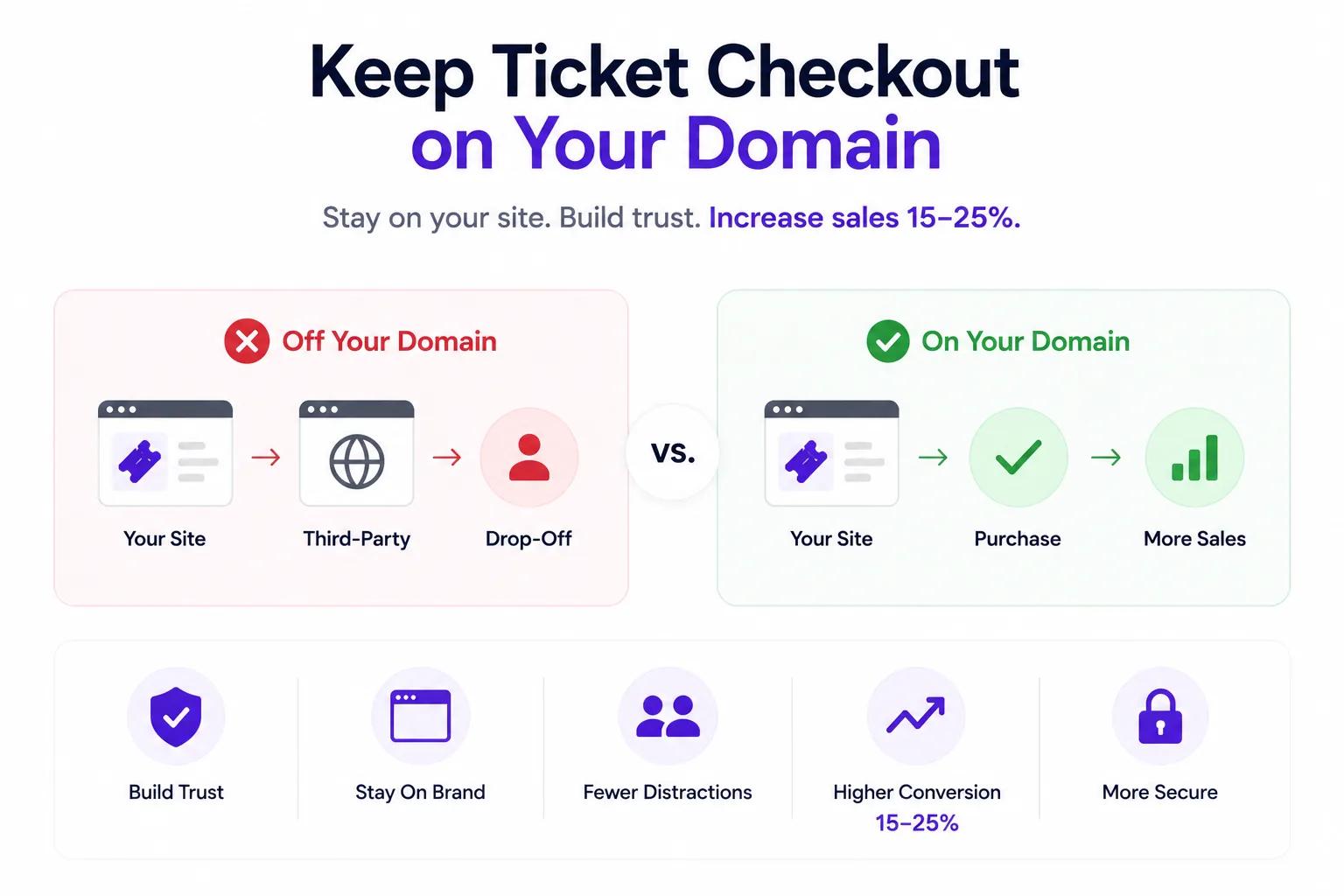
Every time a ticket buyer leaves your website to complete a purchase on a third-party platform, you lose control of the experience — and a chunk of your audience never comes back.
Redirecting attendees to Eventbrite, Ticketmaster, or another platform's checkout page breaks trust, fractures your brand, and introduces drop-off at the exact moment you need it least: when someone is ready to pay.
With Ticket Spot, your entire ticketing flow — event page, checkout, confirmation, and ticket delivery — stays on your domain. No redirects. No third-party branding. No leakage.
The Problem: Third-Party Checkout Kills Conversions
Most ticketing platforms operate like this:
- You create an event on their platform
- They give you a link or embed widget
- When someone clicks "Buy Tickets," they're sent to the platform's domain
- The checkout page shows the platform's branding, not yours
- After purchase, confirmation emails come from the platform
This creates three problems:
1. Trust Drop-Off
Attendees who were comfortably browsing your site suddenly land on an unfamiliar domain with different branding. Studies show that 30% of users abandon checkout when the domain changes mid-purchase. It feels like a redirect — and in an era of phishing awareness, people are trained to be suspicious.
2. Brand Dilution
Your carefully designed website experience is replaced by a generic platform page. Colors, fonts, layout — everything changes. The attendee no longer feels like they're buying from you. They feel like they're buying from the ticketing company.
3. Lost Data and SEO
When checkout happens on a third-party domain, all that transaction traffic benefits their analytics, not yours. You lose referral data, session tracking, and the SEO value of hosting a high-traffic checkout flow on your own domain.
The Solution: Checkout on Your Domain
Ticket Spot gives you three ways to keep the ticket buying experience entirely under your brand:
1. Custom Domain Event Pages
Host your event pages on your own subdomain:
tickets.yoursite.comevents.yoursite.comyoursite.com/tickets
Attendees never leave your domain. The URL bar shows your website. SSL is applied automatically. Setup requires only a DNS record — no developer needed.
Learn more in our custom domain event pages guide.
2. Embedded Ticket Widget
Embed the ticket purchase flow directly into your existing website:
- Customers select tickets, choose dates, and complete checkout without leaving your page
- The widget matches your site's design
- Works on Shopify, Wix, WordPress, and any website that supports JavaScript
This is ideal for venues and businesses that already have a strong web presence and want ticketing to feel native.
3. White-Label Checkout
Even if you use Ticket Spot's hosted checkout, it carries only your branding:
- Your logo
- Your colors
- Your domain
- No "Powered by Ticket Spot" footer
Attendees never see a third-party brand at any point in the journey.
The Conversion Impact: 15-25% More Sales
When checkout stays on your domain, the data consistently shows improvement:
- 15-25% higher conversion rates compared to redirected checkout
- Lower cart abandonment — attendees trust the flow
- Higher average order value — branded upsell pages convert better
- More repeat purchases — attendees remember your site, not a ticketing platform
The psychology is simple: people buy more when they trust the environment. A consistent, branded checkout flow eliminates friction and doubt.
How It Works: Setup in Under 10 Minutes
Step 1: Add Your Custom Domain
In Ticket Spot, go to Settings > Custom Domain. Enter your subdomain (e.g., tickets.yoursite.com). Ticket Spot generates a DNS record for you to add to your domain registrar.
Step 2: Verify and Go Live
Add the CNAME record to your DNS settings. Ticket Spot automatically provisions SSL. Your event pages are now live on your domain — usually within minutes.
Step 3: Customize Your Branding
Apply your logo, colors, fonts, and layout across:
- Event pages
- Checkout
- Confirmation emails
- PDF tickets
- Apple Wallet passes
Every touchpoint carries your brand. Zero Ticket Spot branding visible.
Step 4: Start Selling
Create your event, add ticket types, and publish. Attendees buy tickets on your domain, and the entire experience stays under your brand.
Comparison: Ticket Spot vs. The Redirect Approach
| Feature | Ticket Spot (Custom Domain) | Standard Platforms |
|---|---|---|
| Checkout domain | Your domain | Platform's domain |
| Branding on checkout | Your brand only | Platform branding visible |
| SSL | Automatic | Varies |
| Conversion rate impact | 15-25% lift | Baseline |
| SEO benefit | Your domain gains authority | Platform benefits |
| Customer data ownership | 100% yours | Shared or restricted |
| Setup complexity | DNS record (no coding) | N/A (no option) |
Who Benefits Most from Custom Domain Checkout
Venues & Theaters
Regular patrons expect to buy from your website. Redirecting them to a third-party checkout feels unprofessional and erodes the premium experience you've built.
Conferences & Summits
High-ticket events need maximum trust. A $500 conference pass purchased on an unfamiliar domain triggers hesitation. Keep checkout on your domain and remove doubt.
Parks & Attractions
Seasonal and recurring ticket sales benefit enormously from domain authority. Every purchase on your domain strengthens your SEO for future seasons.
Community Organizations
Local trust matters. When community members buy from tickets.yourorg.com, it reinforces that they're supporting a local institution — not a faceless platform.
Integration with Your Existing Site
Ticket Spot works with every major website platform:
- Shopify — Install the Ticket Selector App Block for native checkout on product pages
- Wix — One-click install from the Wix App Market with drag-and-drop widget placement
- WordPress — Add ticket purchase via shortcode to any page or post
- Custom websites — Embed the ticket widget with a single code snippet
No matter how your site is built, Ticket Spot keeps the purchase flow on your domain.
The Bottom Line
Every redirect is a conversion risk. Every third-party brand on your checkout page is a trust erosion. Every transaction that happens on someone else's domain is an SEO opportunity lost.
Ticket Spot's custom domain ticketing eliminates all three problems — and the data shows a 15-25% conversion lift when you make the switch.
Get Started
Keep your checkout where it belongs — on your domain.
Questions about custom domain setup? Email support@ticketspotapp.com.