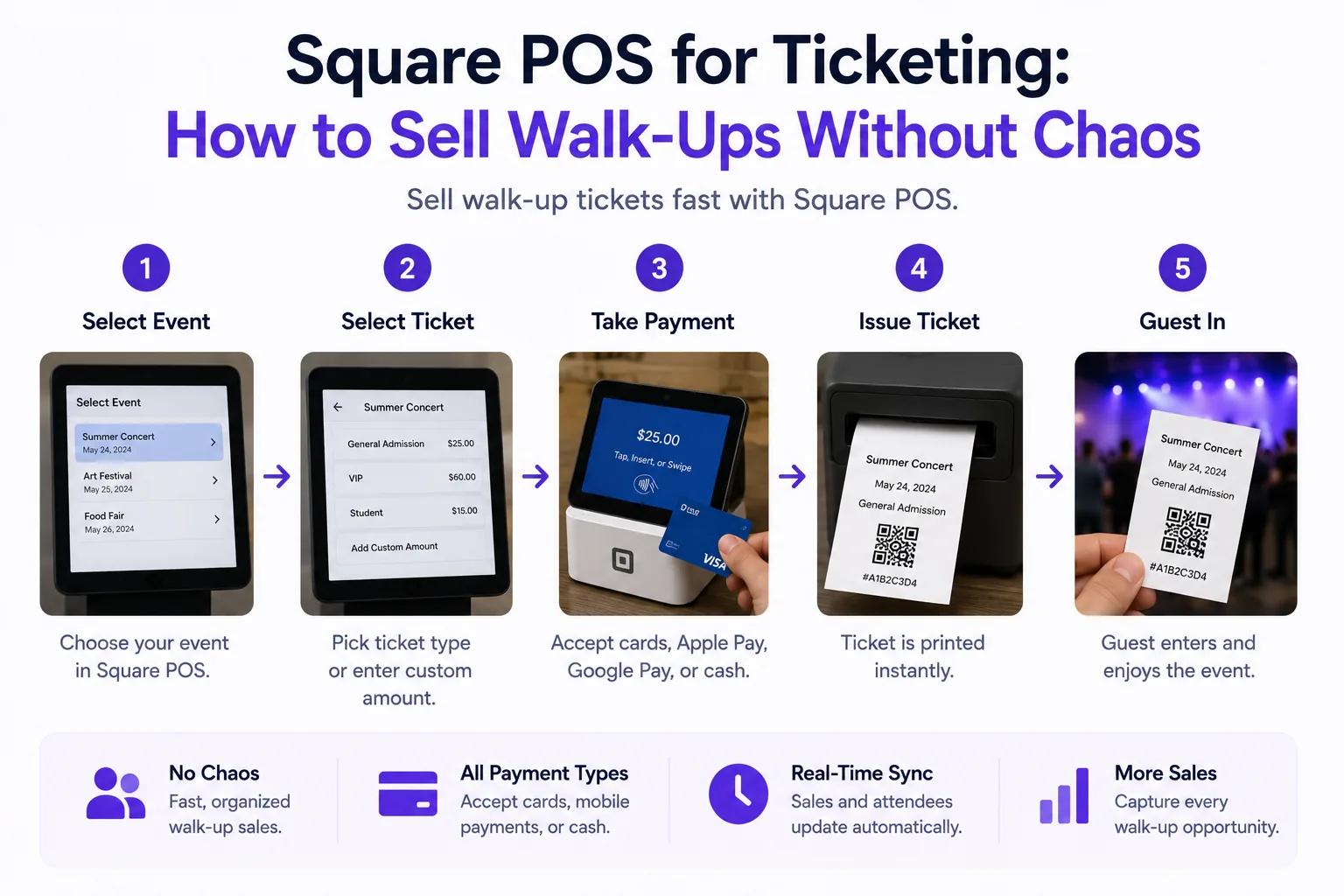
You can sell event tickets with Square using Ticket Spot POS for ticket selection and Square POS for the card payment. Start the sale in Ticket Spot, choose the event and quantities, then hand payment to Square. After payment is verified, confirm the Ticket Spot order and deliver the tickets.
This is different from creating a generic item in Square and expecting it to become an event ticket. Ticket Spot manages the event, ticket inventory and attendee records; Square handles the payment step.
What you need before opening the box office
- Ticket Spot Business or higher for on-site POS ticket sales. Check the current plans and attendee allowances before choosing a subscription.
- A published event with ticket types, prices, quantities and dates configured in Ticket Spot.
- Ticket Spot POS and Square POS installed and signed in on a supported device. Confirm your device, reader and Square account setup with support before buying hardware.
- The correct Square seller account and location connected for the event's site. Pair the reader in Square.
- An internet connection for checkout, payment verification and attendee records. Do not plan an offline admission workflow.
- A configured ticket printer if you need paper tickets. Email and text delivery use the customer's saved contact details.
See the Square ticketing overview for the product and the box-office setup documentation for the current operational steps.
How to sell tickets with Square
1. Open the event in Ticket Spot POS
Select the site and event. Check the date, prices and remaining quantities before serving a customer. Choose the ticket types and quantities in Ticket Spot, then review the cart and enter the customer details requested for the sale.
2. Hand card payment to Square
Choose the Square payment option. Complete the payment in Square POS and return to Ticket Spot. Use the payment methods offered by that handoff; support for a method elsewhere in Square does not guarantee support in this integration.
For a cash sale, choose Cash Payment in Ticket Spot and complete that workflow after collecting the money. Cash at the desk is not a Square card payout.
3. Confirm the order and deliver tickets
Check that the order succeeded and the attendee records exist. The confirmation screen offers Print Receipt & Tickets, Text Tickets and Email Tickets. Verify the recipient's details before sending.
A completed card charge, a completed ticket order and a successful print are separate things to check. Admit the attendee only after the ticket order is confirmed.
4. Test the complete journey before doors open
Run an agreed test sale through the actual device and reader. Check the Square transaction, Ticket Spot order, ticket delivery and QR check-in. Include a cash sale and a reprint in your rehearsal. Testing that Square opens is not enough.
What to do if payment or printing is interrupted
| Situation | Next step |
|---|---|
| Square charged the customer, but the app did not return | Check Square transaction history and use the recovery flow to verify the existing transaction. Do not start another charge. |
| Payment was canceled or its result is uncertain | Check both Square and Ticket Spot before restarting. A lost callback is not proof that no payment happened. |
| The order succeeded, but printing failed | Recover and reprint the existing order. A second printout is the same admission, not a new ticket. |
| The customer did not receive the email or text | Check their saved contact details and resend from the existing order. |
The box-office documentation covers recovery and delivery. Staff should know this flow before the first busy arrival period.
What does Square event ticketing cost?
Budget for the Ticket Spot subscription and any extra attendee capacity, Square's applicable processing charges, and your device, reader and printer. On-site ticket sales start on Business; they are not included in the Free plan.
Payment rates depend on your country, account and payment method. Check Square's published fees rather than assuming an old card-present rate applies to your setup. Ticket Spot's pricing page lists current plan allowances.
If you are comparing providers, use the TicketSpice fees comparison or Eventbrite fee comparison. Compare the same ticket volume, event requirements and payment costs on both sides.
Online sales and walk-up sales
Use the event's Ticket Spot inventory and attendee records to reconcile admissions sold online and at the door. Check your Ticket Spot sales reports alongside Square transactions and the cash collected by staff.
For a festival, rehearse peak arrival periods and assign a recovery station for interrupted orders. For classes and timed-entry attractions, confirm the selected session and capacity before collecting payment.
Shopify is a separate sales flow: Shopify event tickets use Shopify products, cart and checkout. A Square POS sale is not a Shopify order or a Shopify POS scanning integration.
Review Square POS ticketing, check your plan, or book a setup conversation before your next event.