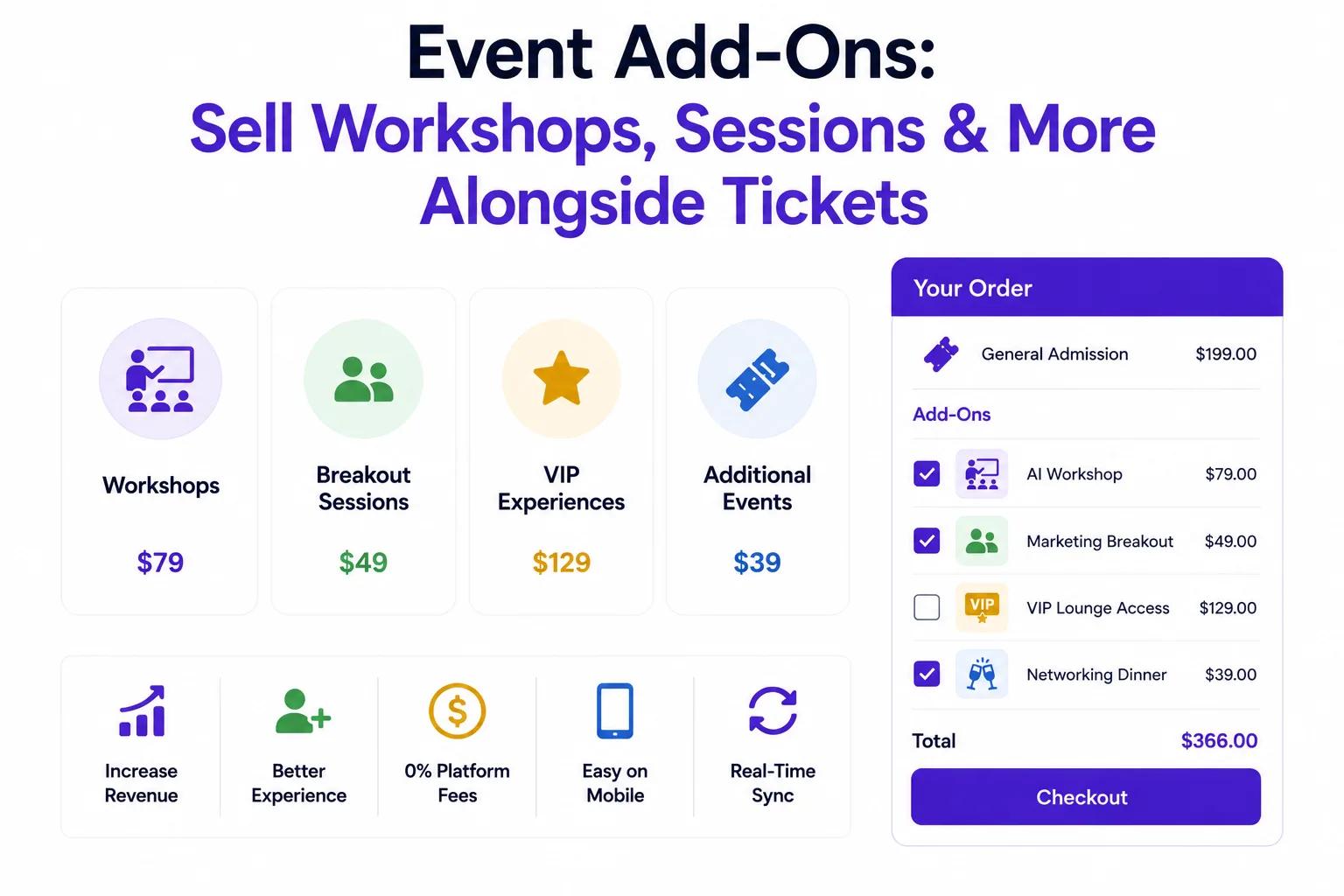
Your main event ticket gets attendees through the door. But what about the workshops, breakout sessions, and supplementary experiences that make your event truly memorable?
Ticket Spot's Event Add-Ons let you sell workshops, breakout sessions, masterclasses, and other supplementary events directly alongside your main ticket - at checkout, in one seamless flow.
No separate registration pages. No manual spreadsheets. No lost revenue from attendees who didn't know about your workshops.
What Are Event Add-Ons?
Event Add-Ons are supplementary events and experiences that attendees can purchase alongside their main event ticket. They appear automatically at checkout, giving attendees a simple way to customize their event experience.
What Event Add-Ons Include
- Workshops - Hands-on sessions within a larger conference or event
- Breakout Sessions - Specialized tracks or topic-specific sessions
- Masterclasses - Deep-dive sessions with experts
- Pre-Event Intensives - Full-day or half-day sessions before the main event
- Post-Event Sessions - Follow-up workshops after the main event
- Networking Sessions - Curated meetups or roundtable discussions
- Keynote Add-Ons - Premium keynote or speaker sessions
- Certification Exams - Professional certification sessions attached to a conference
What Event Add-Ons Are NOT
Event Add-Ons are for selling additional events and sessions - not physical merchandise or food. Think of them as extra programming you can charge for, not a general upsell tool.
Why Event Add-Ons Matter
Most organizers leave money on the table by only selling a single ticket type. Attendees want more than general admission - they want specialized experiences.
The Revenue Impact
Organizers who add event add-ons typically see:
- 30-50% increase in average order value
- Higher attendee satisfaction from personalized schedules
- Better workshop attendance when registration is built into checkout
- Reduced no-shows for workshops when paid for upfront
The Problem With Separate Registration
Many organizers handle workshops separately from ticket sales. This creates friction:
- Attendees must find and fill out a second registration form
- Organizers must manually reconcile two different attendee lists
- Payment happens in two separate transactions
- Attendees receive multiple confirmation emails from different systems
- Workshop capacity and main event capacity are not connected
Event Add-Ons solve all of this by keeping everything in one checkout.
How Event Add-Ons Work in Ticket Spot
Step 1: Create Your Main Event
Set up your primary event with standard ticket types - General Admission, VIP, Early Bird, etc.
Step 2: Add Your Event Add-Ons
Within the same event, add supplementary sessions:
- Name your add-on (e.g., "Advanced SEO Workshop")
- Set the price (or make it free)
- Set capacity limits
- Add a schedule (date, time, duration)
- Add a description so attendees know what they're signing up for
Step 3: Attendees Select Add-Ons at Checkout
When an attendee purchases a ticket, they see available workshops and sessions right in the checkout flow. They select the ones they want, pay once, and receive a single confirmation with all their sessions included.
Step 4: Manage Attendance by Session
View and export attendee lists for each individual workshop or breakout session. Know exactly who's registered for what - no manual tracking required.
Real-World Examples
🎓 Conference With Breakout Tracks
A marketing conference offers a General Admission ticket for $99. During checkout, attendees can add:
- Content Marketing Masterclass - $49 (cap: 30 attendees)
- SEO Workshop - $39 (cap: 25 attendees)
- Paid Ads Deep Dive - $39 (cap: 25 attendees)
- Networking Roundtable - Free with registration (cap: 100)
Result: Average order value jumps from $99 to $163.
🧘 Wellness Retreat With Workshop Add-Ons
A wellness retreat sells a 3-day pass for $299. At checkout, attendees can add:
- Morning Meditation Intensive - $29 (cap: 20)
- Breathwork Workshop - $35 (cap: 15)
- Sound Healing Session - $25 (cap: 30)
- 1-on-1 Coaching Session - $75 (cap: 8)
Result: 65% of attendees add at least one workshop. Average revenue per attendee increases by 40%.
💼 Professional Summit With Certification
A tech summit offers admission for $199. During checkout:
- AWS Certification Exam Session - $149 (cap: 50)
- Hands-On Cloud Lab - $59 (cap: 30)
- Executive Roundtable - $99 (cap: 20)
Result: Certification sessions sell out every time. Overall event revenue increases by 55%.
🎨 Creative Festival With Masterclasses
An art festival sells a weekend pass for $75. At checkout, attendees can add:
- Watercolor Masterclass with [Artist] - $45 (cap: 20)
- Digital Illustration Workshop - $35 (cap: 25)
- Portfolio Review Session - $55 (cap: 10)
Result: Masterclass add-ons generate 30% more revenue than the base ticket sales alone.
Key Features
🔒 Capacity Management Per Add-On
Each workshop or breakout session has its own capacity limit. When a session fills up, it automatically shows as sold out - no overselling, no manual tracking.
📊 Separate Attendance Lists
Export attendee lists for each individual add-on. Know exactly who's attending which workshop, manage room assignments, and prepare materials for the right number of participants.
💰 Flexible Pricing
Charge for workshops or offer them free. Mix paid and free add-ons in the same event. Set different prices for different sessions based on value and demand.
🎫 One Checkout, One Payment
Attendees select their main ticket and any add-ons in a single checkout. One payment, one confirmation email, one receipt. No confusion, no abandoned second registrations.
📱 Automatic Ticket Delivery
Every add-on purchase includes:
- PDF tickets with session details and QR codes
- Apple Wallet passes for quick access on event day
- Automated reminders before each session
✅ Check-In by Session
Use the Ticket Spot check-in app to scan attendees into individual workshops and breakout sessions. Track attendance per session, not just per event.
Why This Beats Separate Registration
| Separate Registration | Ticket Spot Event Add-Ons | |
|---|---|---|
| Checkout Flow | Two separate purchases | One checkout |
| Confirmation | Multiple emails | Single confirmation |
| Capacity Sync | Manual tracking | Automatic, real-time |
| Attendance Lists | Separate spreadsheets | Unified dashboard |
| Ticket Delivery | Separate systems | PDF + Apple Wallet for all |
| Check-In | Separate check-in per system | One app, all sessions |
| Revenue Tracking | Manual reconciliation | Automatic per-session analytics |
| Attendee Experience | Confusing, fragmented | Seamless, professional |
Getting Started
1. Create Your Event
Log into your Ticket Spot dashboard and create your main event with standard ticket types.
2. Add Your Event Add-Ons
Click "Add-Ons" and create workshops, breakout sessions, or any supplementary event. Set pricing, capacity, and schedule for each.
3. Publish and Sell
Your add-ons appear automatically at checkout. Attendees select their sessions, pay once, and receive tickets for everything.
4. Manage Attendance
View and export attendance lists by session. Use the check-in app to scan attendees into individual workshops.
Pricing
Event Add-Ons are included in the Professional plan at $29.99/month and above. This includes:
- Unlimited add-ons per event
- Capacity management per session
- Separate attendance lists per add-on
- PDF tickets + Apple Wallet passes
- Automated reminders
- Check-in app (iOS + Android)
- 0% Ticket Spot transaction fees
Start Selling Event Add-Ons Today
Turn your single-ticket event into a full program of workshops, breakout sessions, and specialized experiences - all in one checkout.
👉 Get Started with Ticket Spot
Questions about setting up event add-ons? Email support@ticketspotapp.com.