No-shows are the silent revenue killer in event ticketing. An attendee buys a ticket, the calendar fills up, and the event day arrives — but they don't.
On average, 15-20% of ticket buyers fail to show up to events they've paid for. For free events, that number can exceed 40%.
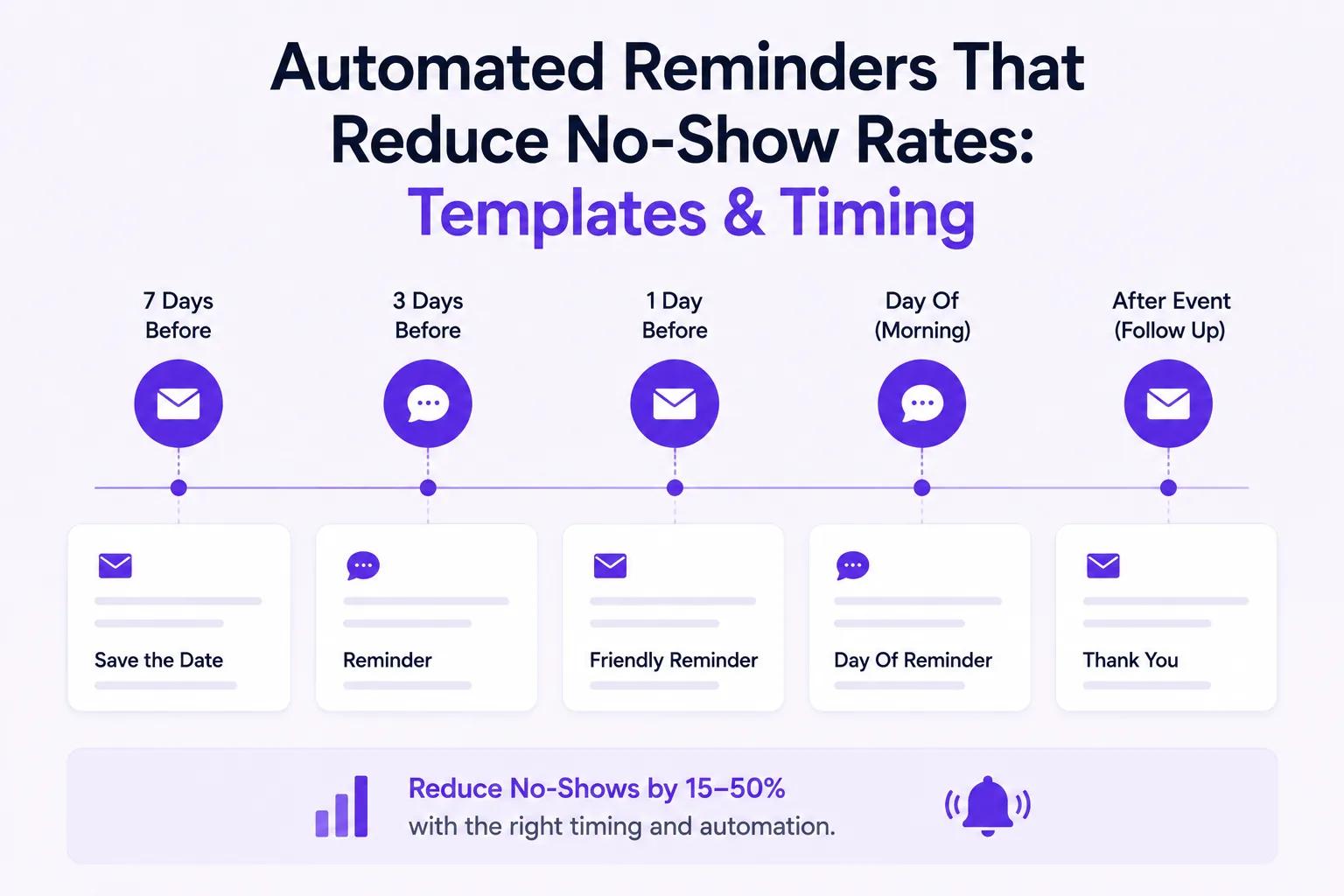
The fix isn't complicated: well-timed, automated reminders consistently cut no-show rates by 15-50%. The key is getting the timing, content, and channel right. For a broader overview of event communication tools, see our attendee communication guide.
Why No-Shows Happen
Before solving the problem, it helps to understand it:
- Forgot about the event — The most common reason. Life gets busy.
- Didn't receive ticket details — Confirmation emails go to spam or get buried.
- Unsure of logistics — Parking, dress code, what to bring.
- Lost their ticket — Can't find the PDF or email with the QR code.
- No urgency — For free events, there's no financial incentive to show up.
Every one of these problems is solvable with the right reminder sequence.
The Optimal Reminder Timeline
Based on data from Ticket Spot organizers, here's the reminder schedule that produces the best results:
Immediately After Purchase
Confirmation email + ticket delivery
- PDF tickets attached
- Apple Wallet pass included
- Event date, time, and venue clearly shown
- Calendar add button (.ics file)
- "Add to Wallet" button for mobile
This sets the foundation. The attendee has everything they need right away.
7 Days Before the Event
Pre-event reminder email
Subject line ideas:
- "7 days until [Event Name] — here's what to expect"
- "Your tickets for [Event Name] — event is next week"
- "Getting ready for [Event Name]? Here's your prep guide"
This is your most important reminder. It catches the "forgot about it" crowd while there's still time to plan.
24 Hours Before the Event
Day-before reminder (email + SMS)
Subject line ideas:
- "Tomorrow: [Event Name] — final details inside"
- "See you tomorrow at [Event Name]! Doors open at [time]"
- "Last chance: [Event Name] is tomorrow"
Include logistics: parking, transit, what to bring, weather forecast if outdoor.
2 Hours Before the Event
Day-of reminder (SMS preferred)
SMS message ideas:
- "Doors open in 2 hours for [Event Name]! 📍 [Venue] — see you there"
- "[Event Name] starts at [time] today. Your ticket: [link]"
- "Final reminder: [Event Name] is happening now! 🎟️ [Ticket link]"
SMS open rates exceed 95%, making this your most reliable last-minute touchpoint.
Email Reminder Templates
Template 1: 7-Day Reminder
Subject: 7 days until [Event Name] — your ticket is ready
Hi [First Name],
Just a quick reminder that [Event Name] is happening next [Day of week], [Date] at [Time].
Here's what you need to know:
- Venue: [Venue Name, Address]
- Doors open: [Time]
- Event starts: [Time]
- Parking: [Parking details or link]
Your ticket is attached — or you can access it anytime from your Apple Wallet.
Questions? Reply to this email or contact us at [Support Email].
See you there! The [Organization] Team
Template 2: 24-Hour Reminder
Subject: Tomorrow: [Event Name] — final details
Hi [First Name],
[Event Name] is tomorrow! Here are your final details:
- When: [Date], [Time]
- Where: [Venue], [Address]
- What to bring: [Any specific items — ID, laptop, comfortable shoes, etc.]
- Parking/transit: [Details]
Quick links:
We're looking forward to seeing you!
The [Organization] Team
Template 3: Day-of SMS Reminder
[Event Name] starts at [Time] today! 📍 [Venue Address] 🎟️ Your ticket: [Ticket Link] — See you there!
How Ticket Spot Automates This
Ticket Spot includes a built-in reminder system that handles the entire sequence automatically:
Built-In Email Reminders
- Automatic confirmation sent immediately after purchase
- 7-day reminder sent automatically
- 24-hour reminder sent automatically
- Day-of reminder sent automatically
- All fully branded with your logo, colors, and messaging
- Includes PDF tickets and Apple Wallet passes in every email
Klaviyo Integration for Advanced Flows
For organizers who want more control, the Klaviyo integration lets you:
- Create custom reminder sequences with conditional logic
- Send SMS reminders through Klaviyo's SMS feature
- Segment reminders by ticket type (VIP gets different messaging than General Admission)
- Track opens, clicks, and ticket views
- A/B test subject lines and send times
Apple Wallet Passes
Every Ticket Spot order includes an Apple Wallet pass. This puts the ticket on the attendee's lock screen on the day of the event — an automatic visual reminder that requires zero setup.
No-Show Reduction by Reminder Type
Data from Ticket Spot organizers shows the impact of different reminder strategies:
| Reminder Strategy | No-Show Rate | Reduction |
|---|---|---|
| No reminders | 18-25% | Baseline |
| Confirmation only | 15-20% | ~15% reduction |
| Confirmation + 7-day reminder | 12-16% | ~30% reduction |
| Full email sequence | 8-12% | ~45% reduction |
| Email + SMS + Wallet pass | 5-10% | ~50% reduction |
The biggest single improvement comes from adding the 7-day reminder. The biggest marginal improvement comes from adding SMS on the day of the event.
Special Strategies for Free Events
Free events have notoriously high no-show rates (30-50%). Here's how to fight back:
1. Send a "Still Coming?" Confirmation
3 days before the event, ask attendees to confirm their attendance:
"We're finalizing headcount for [Event Name]. Are you still planning to attend? [Yes, I'll be there] / [I can't make it]"
This identifies no-shows early and frees up capacity for waitlisted attendees.
2. Create FOMO
"Only [X] spots remaining for [Event Name]. Your spot is confirmed — but if you can't make it, please let us know so someone else can attend."
3. Require Check-In
For recurring free events, track attendance. Make it clear that no-shows affect future access:
"Please note: Attendees who no-show twice may lose priority access to future free events."
4. Use Waitlists Strategically
When someone on the "still coming?" survey says they can't make it, automatically offer their spot to the next waitlisted person. Ticket Spot handles waitlists automatically.
Best Practices for Reminder Content
Keep It Short
Attendees scan emails. Lead with the event name, date, and their ticket link. Details come second.
Always Include the Ticket
Every reminder should have a one-click way to access the ticket. Don't make them search their inbox for the original confirmation.
Add Calendar Integration
Include a one-click "Add to Google Calendar" or "Add to Apple Calendar" button. Calendar events generate their own automatic reminders.
Use the Attendee's Name
Personalized emails ("Hi Sarah") see 6% higher open rates than generic ones ("Hi there"). Ticket Spot personalizes automatically.
Include a Clear CTA
Every reminder should have a primary action:
- "View your ticket"
- "Add to calendar"
- "Share with a friend"
Don't leave the attendee wondering what to do next.
Connect Reminders to Your Broader Communication
Automated reminders are just one piece of the communication puzzle. Pair them with:
- Attendee communication tools — Segmented messaging, broadcast updates, and targeted follow-ups
- Klaviyo CRM integration — Sync attendee data for long-term relationship building
- Event add-ons — Remind attendees about workshops and breakout sessions they can add to their ticket
Start Reducing No-Shows
Stop losing revenue to forgotten events. Set up automated reminders in minutes.
Questions about reminder automation? Email support@ticketspotapp.com.