Eventbrite built a billion-dollar business on a simple model: give organizers a place to list events, take a cut of every ticket sold, and own the audience.
What if you could do the same — but under your domain, your brand, and your rules? For a broader overview of marketplace features, see our marketplace platform guide.
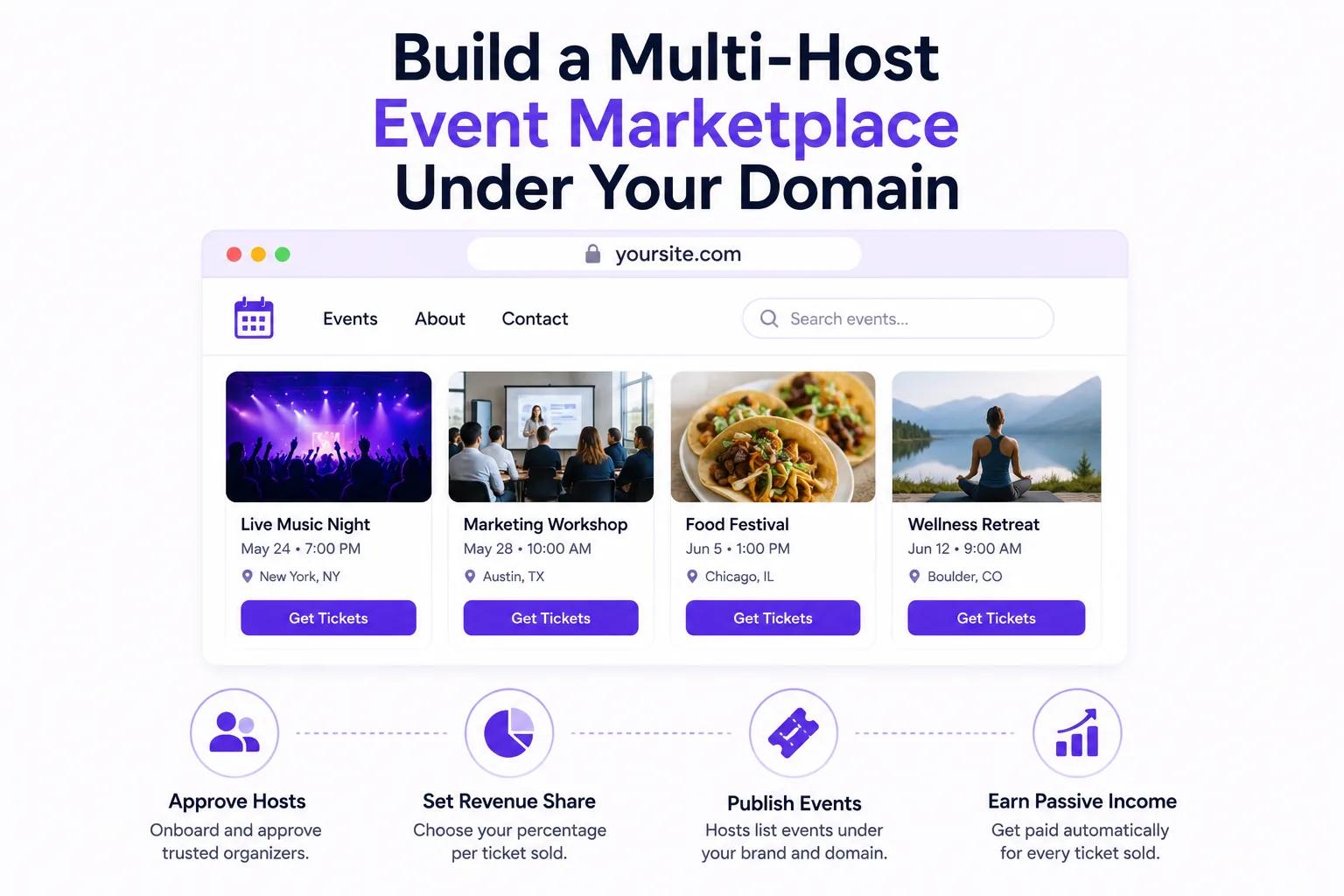
Ticket Spot's marketplace feature lets you launch a multi-host event platform where organizers submit events, you approve them, and you earn revenue share on every ticket — all on your custom domain with your branding.
This isn't affiliate linking to Eventbrite. This is building your own event marketplace business with Ticket Spot as your technology backbone.
What Is a Multi-Host Event Marketplace?
A marketplace is a platform where multiple event organizers (hosts) publish events, and a marketplace owner (you) curates, approves, and earns a share of revenue.
Examples of marketplace models:
- A city tourism board running
yourcityevents.com— local venues list events, the city earns 10% of ticket sales - a university running
campusevents.edu— student organizations and departments publish events, the university takes a 5% platform fee - A coworking space running
hubevents.com— members host workshops and meetups, the space earns a share - A media company running
cityguide.com/events— curated local events with editorial approval
In every case, the marketplace owner controls:
- The domain and brand — It's your website, not a third-party platform
- Which events appear — You approve or reject submissions
- The revenue model — You set the fee structure per organizer or per event
- The attendee experience — White-label design from event page to ticket delivery
How the Marketplace Works
Step 1: Set Up Your Marketplace
Configure your marketplace in Ticket Spot:
- Custom domain —
events.yoursite.comoryoursite.com - Branding — Your logo, colors, fonts, and layout across all pages
- Event categories — Music, Food & Drink, Workshops, Community, Sports, etc.
- Revenue share model — Percentage, flat fee, or tiered structure
- Approval workflow — Auto-approve, manual approve, or require organizer verification
Step 2: Invite Organizers
Send invitation links to event organizers. Each organizer creates an account and gets their own dashboard where they can:
- Create and edit events
- Add ticket types and pricing
- Upload images and descriptions
- View attendee lists and sales data
- Send communications to their attendees
They operate independently — like having their own Ticket Spot account, but under your marketplace umbrella.
Step 3: Review and Approve Events
When an organizer publishes an event, it enters your approval queue. You review:
- Event quality and completeness
- Category fit for your marketplace
- Pricing reasonableness
- Compliance with your marketplace guidelines
- Calendar conflicts with other events
Approved events appear on your marketplace site. Rejected events stay as drafts on the organizer's dashboard with your feedback.
Step 4: Tickets Sell, Revenue Shares Automatically
When an attendee buys a ticket on your marketplace:
- Payment is processed (Stripe, PayPal, or Square)
- Your revenue share is calculated automatically
- The organizer receives their payout
- You receive your share
- Both parties see real-time reporting
No invoicing. No spreadsheets. No end-of-month reconciliation.
Revenue Share Models
Model 1: Flat Percentage
Take a fixed percentage of every ticket sale:
| Ticket Price | Your Share (10%) | Organizer's Share (90%) |
|---|---|---|
| $25 | $2.50 | $22.50 |
| $50 | $5.00 | $45.00 |
| $100 | $10.00 | $90.00 |
Best for: Simple marketplaces with uniform event types.
Model 2: Percentage + Per-Ticket Fee
Combine a percentage with a small per-ticket fee:
| Ticket Price | Your Share (5% + $0.75) | Organizer's Share |
|---|---|---|
| $25 | $2.00 | $23.00 |
| $50 | $3.25 | $46.75 |
| $100 | $5.75 | $94.25 |
Best for: Marketplaces that want to ensure minimum revenue per ticket regardless of price.
Model 3: Tiered by Event Category
Different categories have different fee structures:
| Category | Your Share | Rationale |
|---|---|---|
| Community / Free events | 0% | Encourage community listings |
| Workshops & Classes | 8% | Moderate margin on education |
| Concerts & Entertainment | 12% | Higher margin on ticketed events |
| Premium / Featured events | 15% | Premium placement fee |
Best for: Diverse marketplaces with mixed event types.
Model 4: Subscription for Organizers
Organizers pay a monthly fee to list events on your marketplace, and you take 0% revenue share:
| Plan | Monthly Price | Events Included |
|---|---|---|
| Basic | $29/mo | Up to 5 events |
| Professional | $79/mo | Up to 25 events |
| Enterprise | $199/mo | Unlimited events |
Best for: Marketplaces with organizers who prefer predictable costs over percentage-based fees.
What Organizers Get
Organizers who list on your marketplace get a complete event toolkit:
- Professional event pages — 23 customizable layouts
- Ticket sales and delivery — PDF tickets, Apple Wallet passes
- Attendee management — Roster, check-in, communication tools
- Automated reminders — Built-in email sequences to reduce no-shows
- Analytics — Sales data, traffic sources, conversion rates
- Klaviyo integration — Sync attendee data to their CRM for email marketing
- Support — Your marketplace provides the first line of support
For most organizers, listing on your marketplace is far cheaper than Eventbrite while providing comparable (or better) tools. And because your marketplace is local or niche-specific, they get a more targeted audience.
Building Marketplace Traffic
A marketplace only works if attendees visit it. Here's how to drive traffic:
SEO for Event Discovery
Each event page on your marketplace is optimized for search engines. Event titles, descriptions, locations, and dates are indexed — which means your marketplace ranks for local event searches over time.
The custom domain is critical here. All the SEO authority builds your domain, not a third-party platform's.
Email Newsletter
Send a weekly "What's happening this weekend" email featuring events from your marketplace. Use Klaviyo to segment by attendee interests and location.
Social Media Integration
Auto-post new approved events to your social channels. Share "This weekend on [Marketplace Name]" roundups.
Organizer Cross-Promotion
Organizers market their own events — and every event page lives on your domain. When an organizer shares their event link, attendees discover your marketplace and browse other events. This is the network effect that makes marketplaces powerful.
Featured and Curated Sections
Highlight curated collections:
- "Editor's Picks This Week"
- "Family-Friendly Events"
- "Free Events"
- "New This Month"
- "Best Date Night Ideas"
Curation differentiates your marketplace from a raw event listing site.
Marketplace Use Cases
City Tourism Boards
Run the official event calendar for your city. Hotels, venues, and tour operators list events. The city earns revenue share while driving tourism.
University Campus Events
Student organizations, academic departments, and athletics publish events. The university controls the brand and ensures quality. Revenue share funds student activities.
Coworking Spaces and Hubs
Members host workshops, networking events, and meetups. The space earns a share while offering more programming without organizing everything themselves.
Media Companies
A local newspaper or blog runs a curated event calendar as a premium feature. Editorial approval ensures quality. Revenue share supplements advertising income.
Industry Associations
Professional associations host a marketplace for industry events, certifications, and conferences. Members find relevant events in one place. The association earns from every ticket.
How This Compares to Eventbrite
| Feature | Your Marketplace (Ticket Spot) | Eventbrite |
|---|---|---|
| Domain | Your domain | eventbrite.com |
| Branding | Your brand only | Eventbrite branding prominent |
| Revenue model | You set the fees | Eventbrite takes 3.7% + $1.79/ticket |
| Organizer relationships | Direct | Through Eventbrite |
| Attendee data | 100% yours | Shared with Eventbrite |
| Approval control | You approve events | Anyone can list |
| SEO benefit | Your domain | Eventbrite's domain |
| Customization | Full white-label | Limited |
| Monthly cost | $99-$149/mo flat | Per-ticket fees scale up |
The fundamental difference: On Eventbrite, you're a customer. On your Ticket Spot marketplace, you're the platform owner.
Getting Started
1. Choose Your Marketplace Niche
What events will you host? Local community events? Industry conferences? University programming? The niche determines your marketing, organizer recruitment, and pricing.
2. Set Up Your Marketplace
Configure your custom domain, branding, categories, and revenue model in Ticket Spot. This takes 1-2 hours.
3. Recruit Your First Organizers
Start with 5-10 organizers you already have relationships with. Get events on the platform. Prove the model works before scaling.
4. Launch and Iterate
Go live, gather feedback from organizers and attendees, and refine your approval process, categories, and pricing. Most marketplaces find their groove within 2-3 months.
Launch Your Marketplace
Build your own event marketplace business — your domain, your brand, your revenue.
Questions about marketplace setup? Email support@ticketspotapp.com.